
Harnessing AI to Program Microcontrollers: A Hands-On Guide
Published by Vivian van Zyl in ESP32 Microcontrollers the 03/26/2025 at 09:03 pm

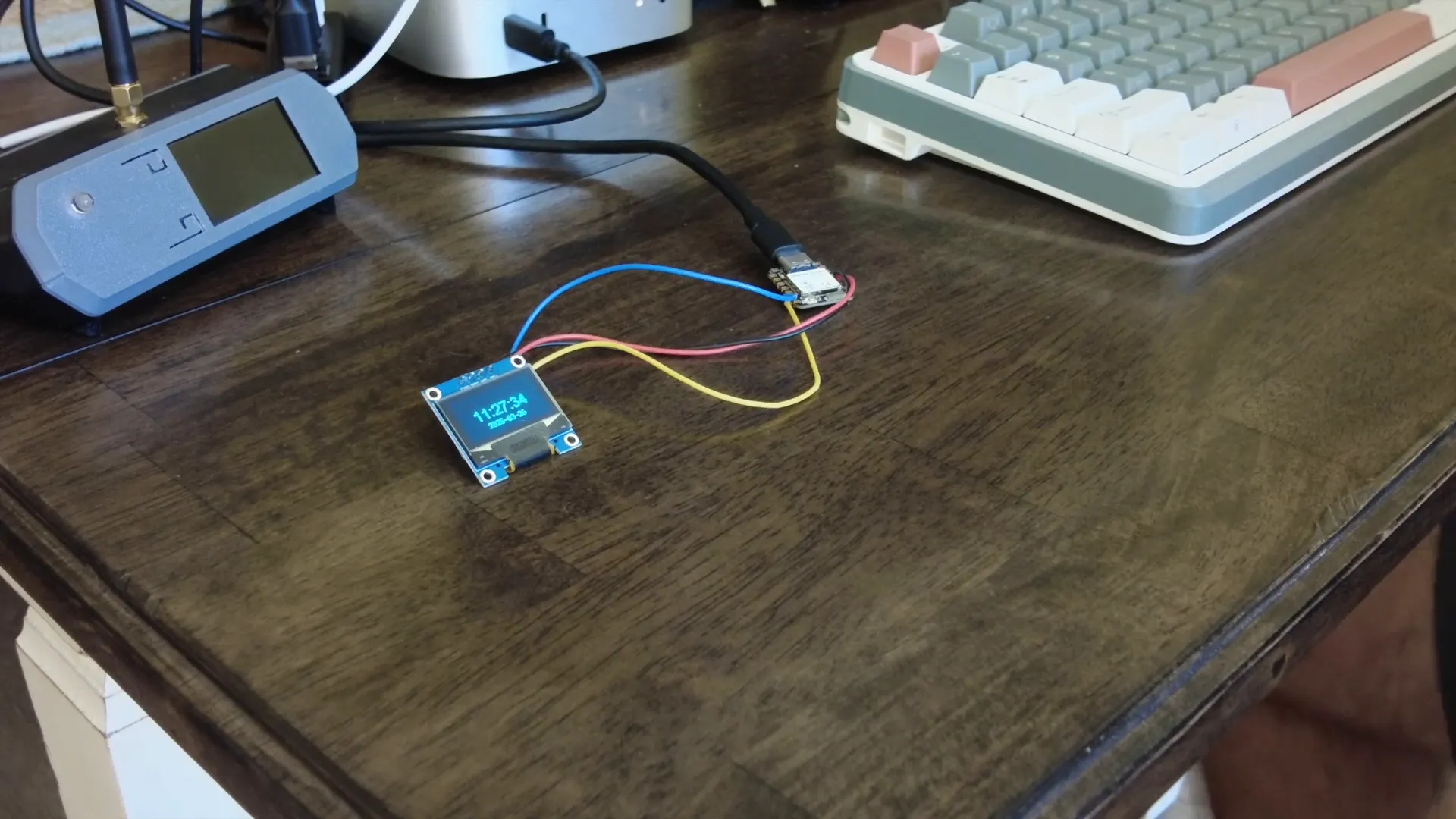
In today's video, we explore the exciting intersection of artificial intelligence and microcontroller programming, specifically focusing on the ESP32 C6 and its OLED display. Join me as I demonstrate how to leverage AI to create a functional application that displays time and date, making programming simpler and more accessible than ever.
Table of Contents
- Introduction to Microcontrollers
- Setting Up the ESP32 C6
- Connecting the OLED Display
- Exploring AI Capabilities
- Preparing the Development Environment
- Engaging with AI for Code Generation
- Executing the AI-Generated Code
- Debugging the Code
- Enhancing the Display Output
- Finalizing the Application
- Exploring Further Modifications
- Conclusion and Future Possibilities
- FAQ
Introduction to Microcontrollers
Microcontrollers are the heart of modern electronics, enabling a wide range of applications from simple gadgets to complex systems. The ESP32 C6, a powerful microcontroller, stands out for its versatility and ease of use. It combines Wi-Fi and Bluetooth capabilities, making it a popular choice for IoT projects.
Equipped with a dual-core processor, the ESP32 C6 delivers impressive performance while maintaining low power consumption. Its GPIO pins allow for easy interfacing with various sensors and displays, such as the OLED display we're going to work with today.
Setting Up the ESP32 C6
To get started, you’ll need to load CircuitPython onto the ESP32 C6. This process is straightforward and can be completed in just a few minutes. Once CircuitPython is installed, connect your microcontroller to your computer using a USB cable.
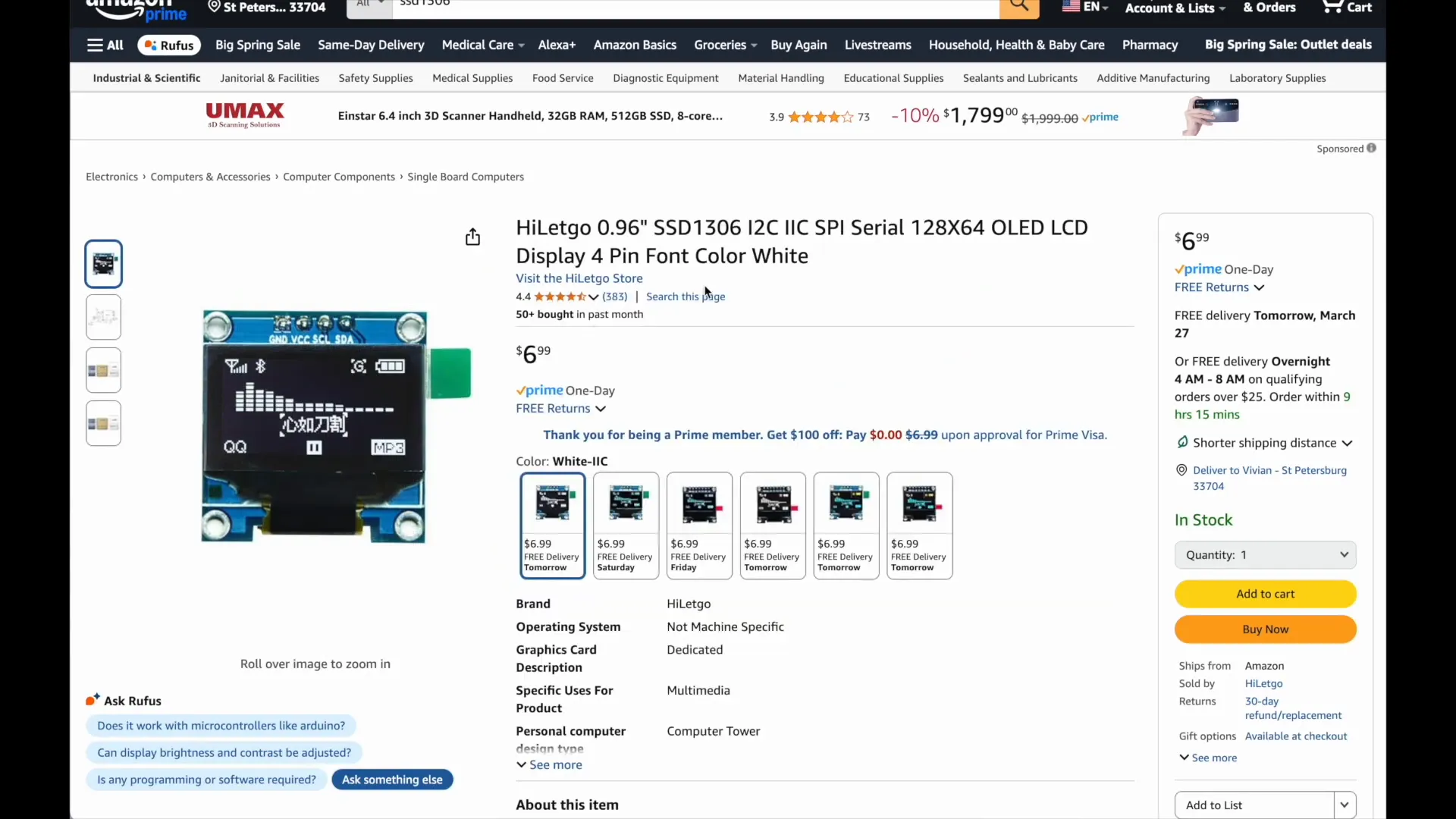
In your development environment, ensure that you have the necessary libraries installed. For our project, we’ll be using the SSD1306 library for the OLED display. This library is essential for communicating with the display and rendering text.
Connecting the OLED Display
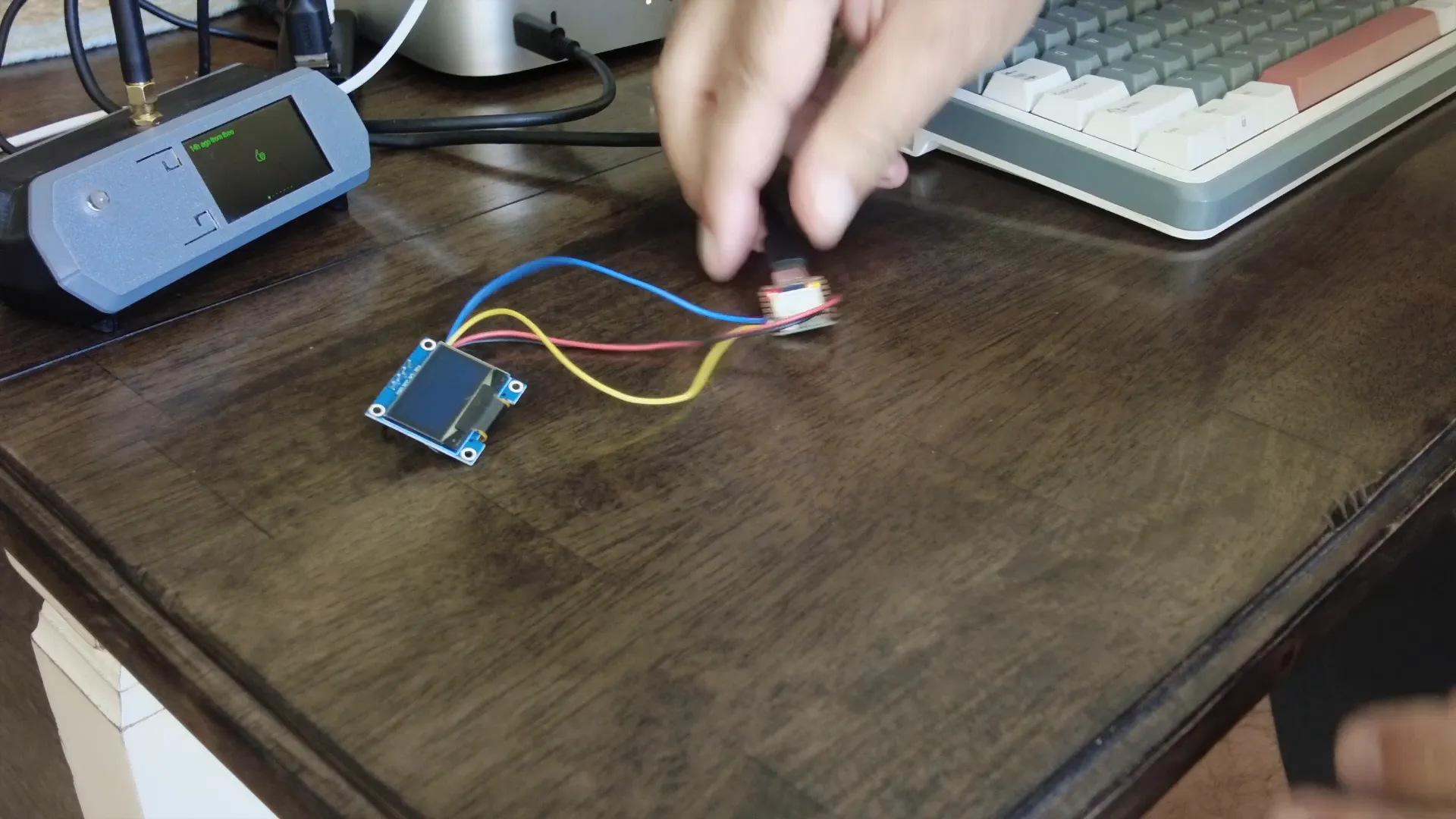
The OLED display connects via I2C, which only requires two data pins. In addition to the SDA and SCL pins, you'll need to connect the display to power and ground. Typically, the OLED display operates at 3.3V, which is compatible with the ESP32 C6.
After making the connections, you can verify them by checking the wiring diagrams available online. It’s crucial to ensure everything is correctly connected to avoid any issues during programming.
Exploring AI Capabilities
Integrating AI into your microcontroller projects can significantly enhance functionality. AI can assist in code generation, troubleshooting, and even optimizing your applications. In this guide, we’ll leverage an AI tool to create a simple program that displays the current time and date on the OLED display.
The AI can generate code based on your specifications, making it easier to implement complex features without deep programming knowledge. This approach allows you to focus on project design rather than getting bogged down in code syntax.
Preparing the Development Environment
Before diving into code generation, ensure your development environment is properly set up. Install the necessary libraries, including SSD1306 and any additional libraries required for your project. You can usually find these libraries on GitHub or the Adafruit website.
Once the libraries are in place, you should see them available in your development environment, ready for importing into your code.
Engaging with AI for Code Generation
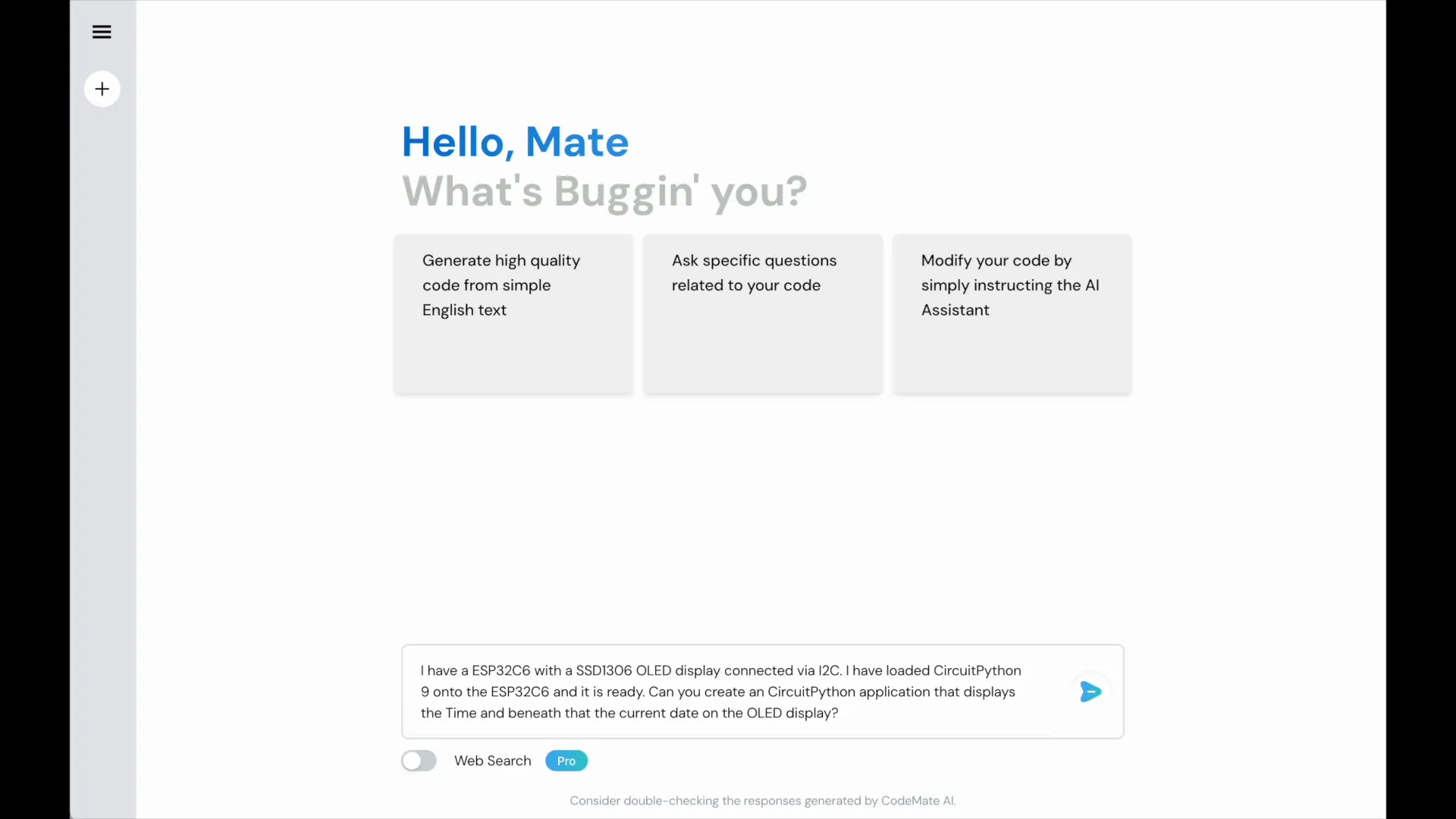
Now, let’s interact with the AI to generate our desired application. Start by describing your setup: mention the ESP32 C6, the SSD1306 OLED display, and specify that you want to display the current time and date. The AI will process this information and generate the required code.
Don’t hesitate to provide additional details, like the layout of the display or specific features you want. The more specific you are, the better the AI can tailor the code to your needs.
Executing the AI-Generated Code
After the AI generates the code, copy it into your development environment and save it. Make sure to check for any errors during the initial run. If you encounter issues, don’t hesitate to return to the AI for troubleshooting assistance.
For example, if the AI-generated code results in an error, you can share the error message with the AI. It can provide insights or corrections to resolve the issue, allowing you to iterate quickly and efficiently.
Debugging the Code
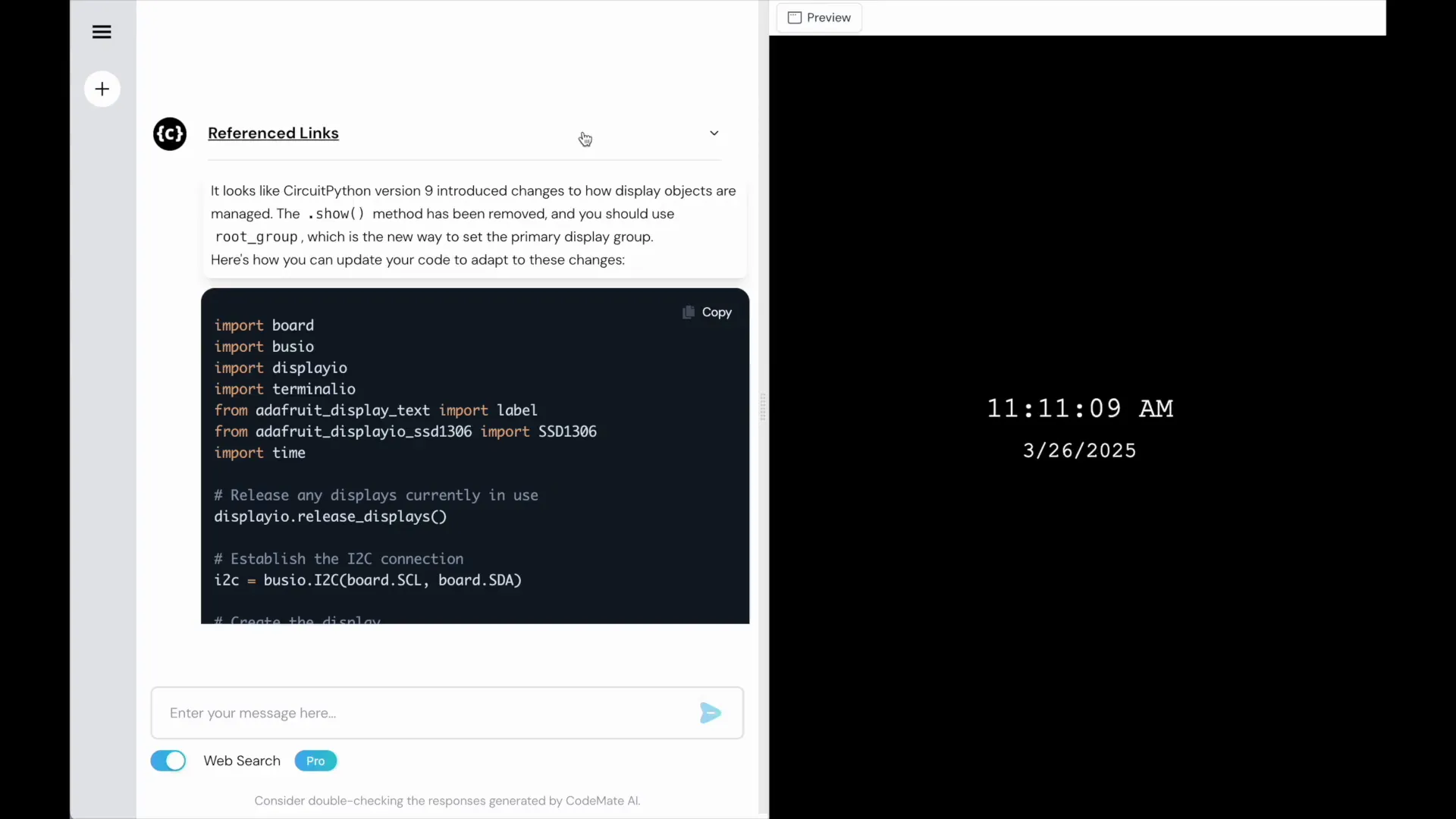
Debugging is a crucial part of coding, especially when working with microcontrollers. As you run the AI-generated code, you may encounter errors. For instance, an error message might indicate issues with object handling or library imports.
When you face an error, take a moment to analyze the message. It often points you to the exact line causing the issue. In our example, when confronted with a "use root group equals x" error, it was essential to relay this back to the AI for assistance.
By sharing the error message with the AI, you can receive tailored advice. This iterative process allows you to refine your code efficiently. Remember, debugging is not just about fixing errors; it's about understanding the logic behind the code.
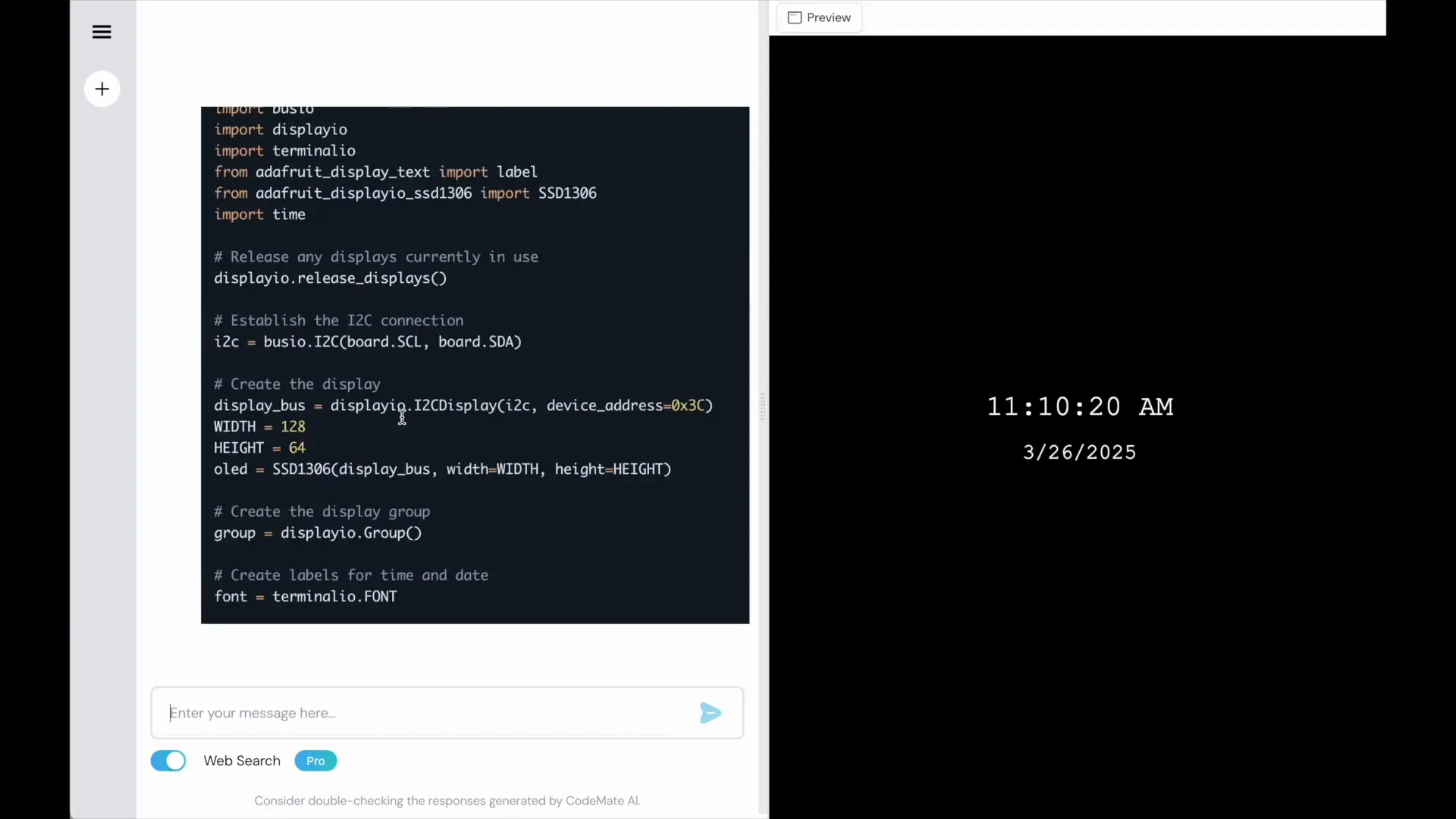
Enhancing the Display Output
Once your basic application is running, the next step is to enhance the display output. You can modify font sizes, colors, and layout to improve readability and aesthetics. For instance, if the default time display size isn't satisfactory, ask the AI to generate code for a larger font.
Adjusting the display layout is equally important. If you want to position the time and date differently, simply request modifications from the AI. It can suggest changes that involve moving the display lower or adjusting the spacing between elements.
For example, in our project, we successfully increased the font size and altered the positioning of the time display, resulting in a more visually appealing output. This flexibility is one of the advantages of using AI in your coding process.
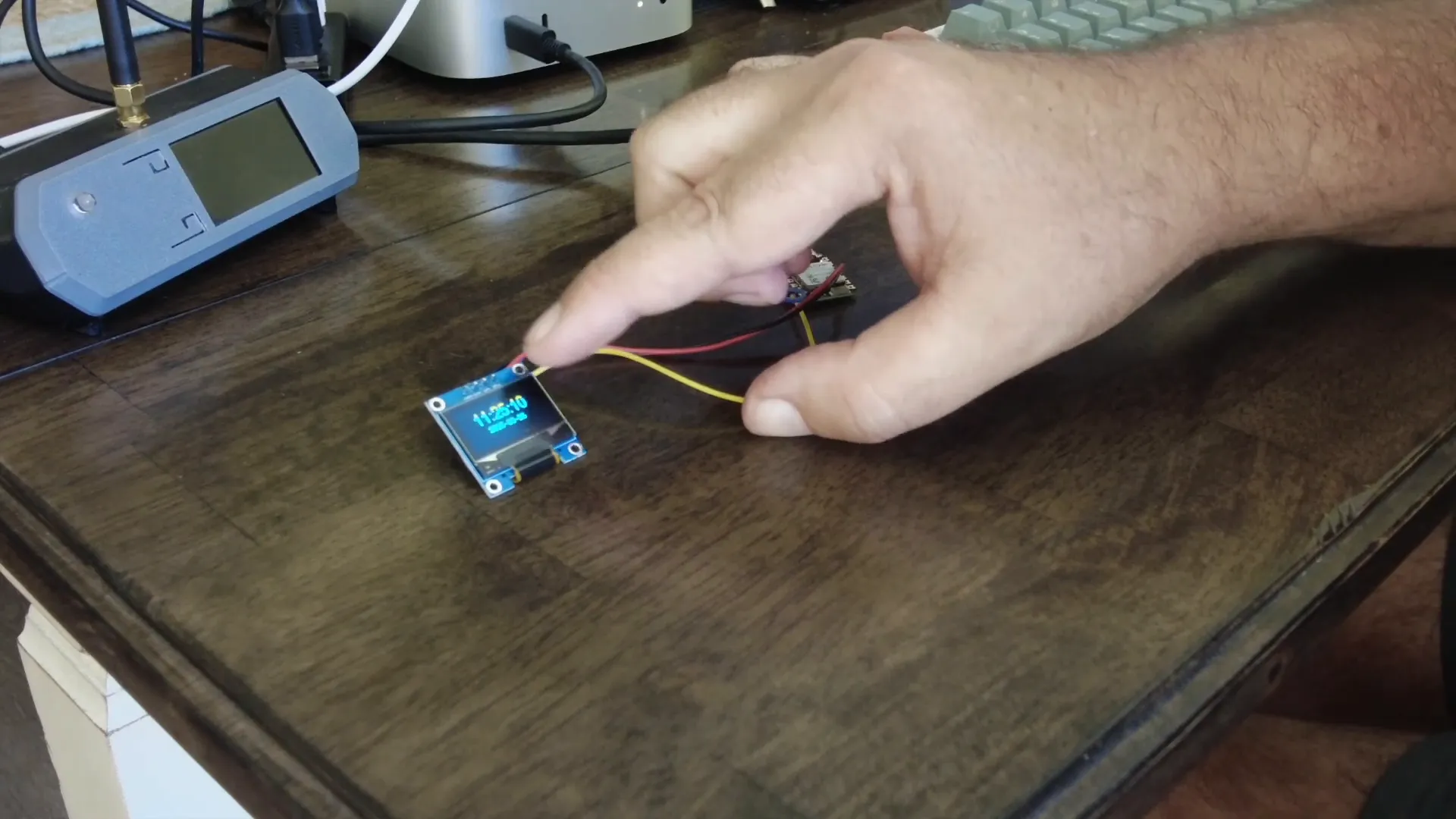
Finalizing the Application
With debugging done and enhancements made, it's time to finalize your application. Ensure that all libraries are correctly imported and that your code is clean. Remove any unnecessary comments or print statements that were used for debugging.
Test the application thoroughly. Run it multiple times to ensure stability and performance. If everything works smoothly, consider packaging your project. You can create a simple user guide to help others understand how to set it up and use it effectively.
Finalization also includes thinking about future enhancements. What additional features could you add? Perhaps integrating a button to set alarms or connecting it to a network for time synchronization could be exciting next steps.
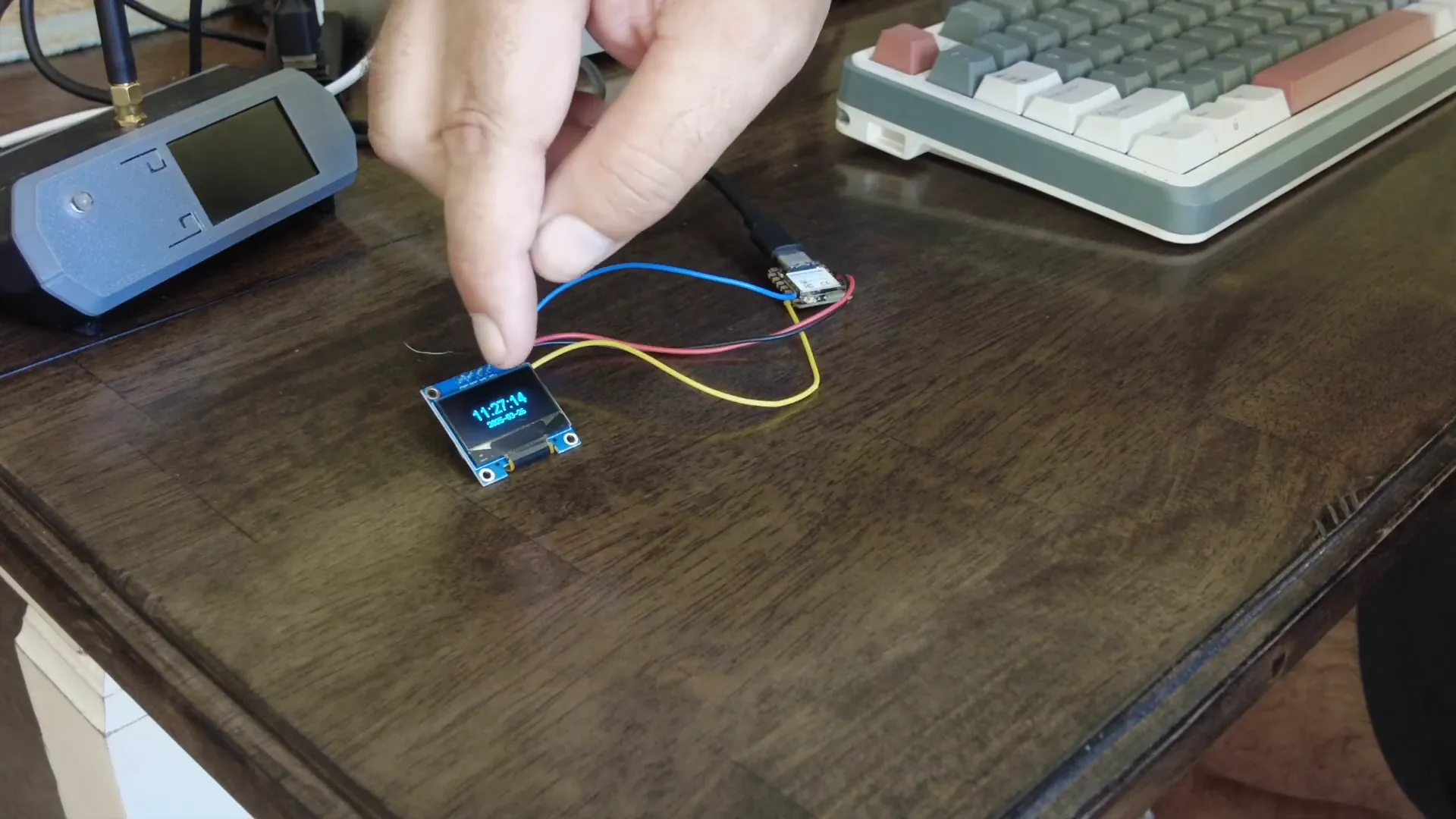
Exploring Further Modifications
Once your basic application is complete, the possibilities for further modifications are endless. You might want to add functionalities like temperature readings, humidity levels, or even notifications. The AI can assist with these enhancements by generating additional code snippets based on your requirements.
Consider integrating a simple user interface to allow for user interactions. You could add buttons for setting the time or changing display settings. The AI can help you create the logic for these interactions, making your project more user-friendly.
Additionally, think about connectivity options. By leveraging the ESP32 C6's Wi-Fi capabilities, you can create a web-based interface for your application. This opens up a whole new realm of possibilities, such as remote monitoring or control.
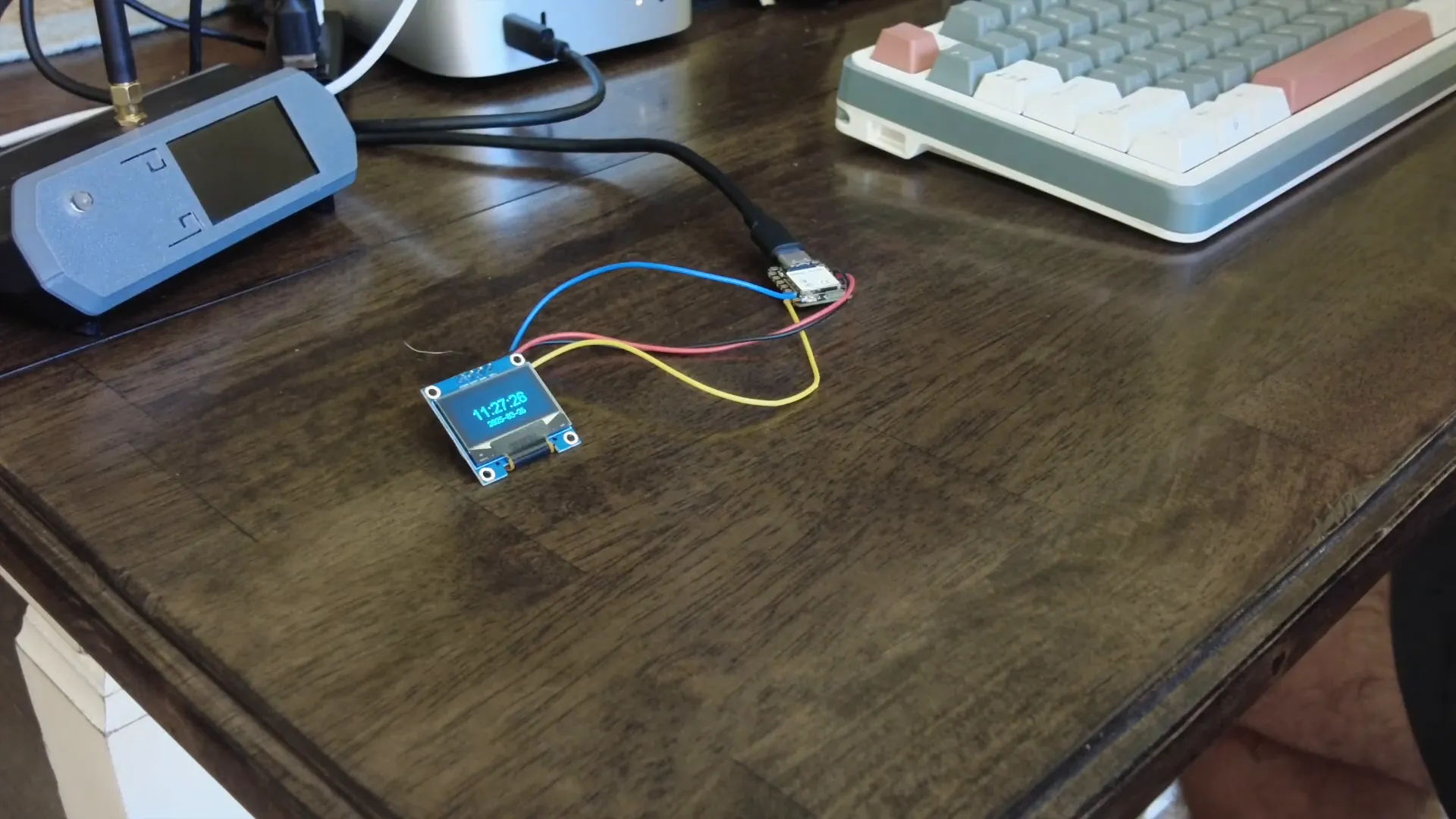
Conclusion and Future Possibilities
In conclusion, utilizing AI for programming microcontrollers like the ESP32 C6 offers a unique advantage in simplifying the coding process and enhancing functionality. From generating code to debugging and improving display outputs, AI proves to be a valuable ally.
Looking ahead, the integration of AI in microcontroller projects is just the beginning. As technology evolves, we can expect even more sophisticated tools and libraries that will make programming more intuitive. Imagine a future where AI not only assists in coding but also in designing entire systems based on user specifications.
Keep experimenting and exploring. The world of microcontrollers is vast, and with AI on your side, the sky's the limit!
FAQ
What microcontroller is used in this project?
The project utilizes the ESP32 C6, a versatile microcontroller with Wi-Fi and Bluetooth capabilities.
Do I need to know programming to use AI for coding?
No, the AI can assist you in generating code based on simple descriptions of what you want to achieve, making it accessible even for beginners.
Can I add features to the application later?
Absolutely! The application is designed to be modular. You can easily add new features like alarms, temperature readings, or network connectivity.
Where can I find the libraries mentioned?
The libraries can be found on platforms like GitHub or the Adafruit website. Ensure to follow the installation instructions provided with the libraries.
How can I troubleshoot issues in my application?
When encountering issues, carefully read the error messages. You can also consult the AI for assistance in debugging and resolving problems.