
Meshtastic vs Meshcore: Key Differences Explained
Published by Vivian van Zyl in Meshcore the 07/01/2025 at 07:32 pm

In the evolving world of mesh networking for IoT and GPS communication, two platforms stand out: Meshtastic and Meshcore. Both offer innovative ways to connect devices over long distances without relying on traditional cellular networks. But how do they really compare? This article dives deep into the key differences between Meshtastic vs Meshcore, highlighting their unique approaches to routing, traffic management, device setup, and network control, based on insights from Vivian Van Zyl of LoraMeshDevices.com.
Table of Contents
- Devices Used in Demo
- Routing Differences: True Mesh vs Flood Messaging
- Managing Devices with the Meshcore Mobile App
- Messaging Control and Delivery Confirmation
- Room Server: Store and Forward Capability
- LilyGo T-Deck App Features
- Configuring Devices with the Meshcore Flasher Tool
- Community and Network Growth: Challenges Ahead
- Conclusion: Control at the Heart of Meshcore
- Frequently Asked Questions
Devices Used in Demo
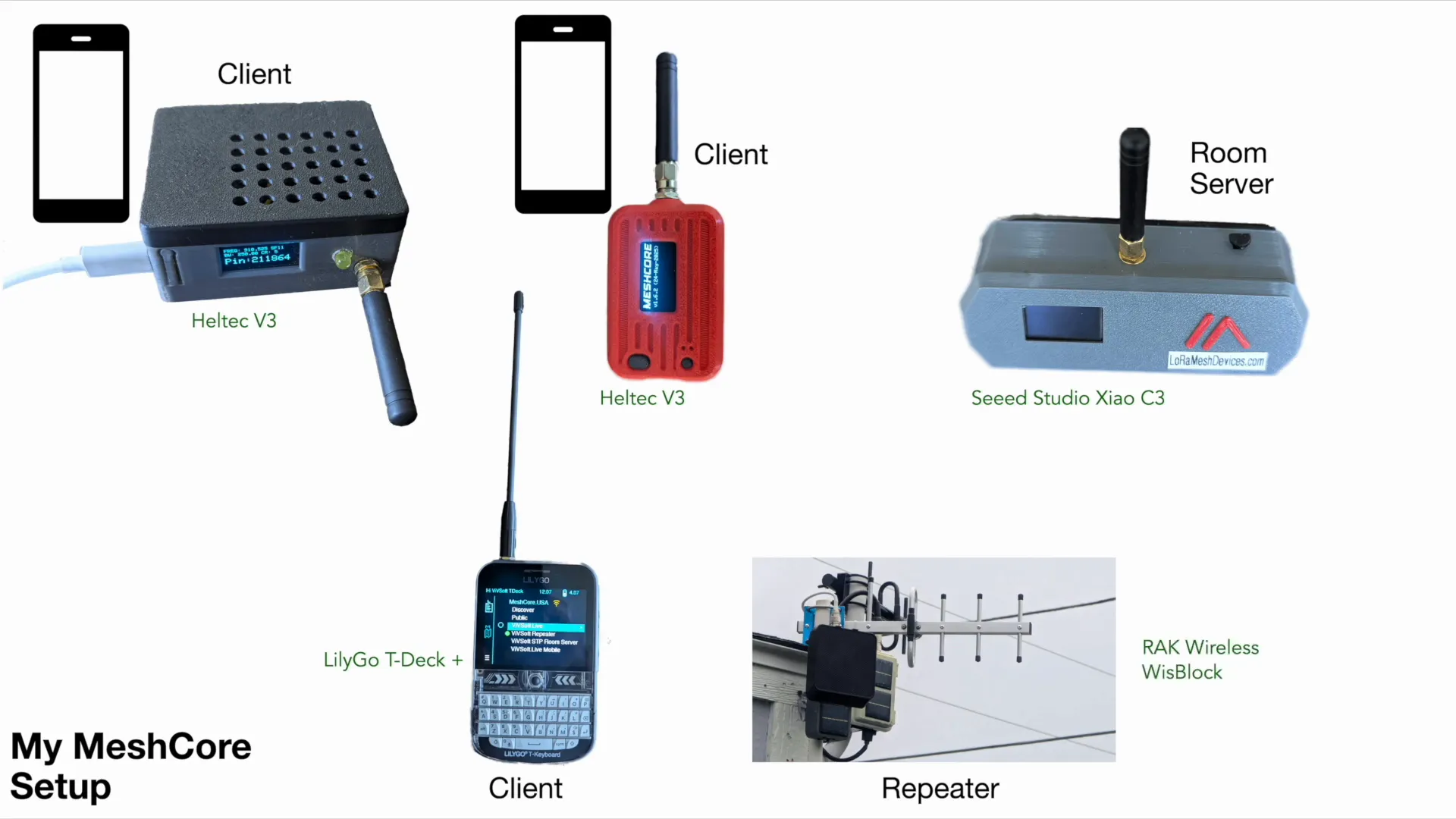
Before exploring the technical differences, it's helpful to understand the hardware used to demonstrate Meshcore’s capabilities. The setup includes:
- Two Heltec V3 clients
- One Seeed Studio C3 acting as a room server
- A LilyGo T-Deck client
- A RAK Wireless Wisblock outdoor repeater equipped with a Yagi directional antenna
- Two cell phones connected via Bluetooth for mobile app control
This combination showcases the flexibility of Meshcore devices, supporting various roles like clients, repeaters, and room servers in a network.
Routing Differences: True Mesh vs Flood Messaging
One of the most significant distinctions between Meshtastic and Meshcore lies in how they handle routing and message traffic.
Meshtastic: True Mesh with Client Routing
Meshtastic operates as a true mesh network where every client can route traffic. This means messages can hop through multiple clients and repeaters to reach their destination. For example, a message might travel through a chain like repeater → client → client → client before arriving. This approach allows for flexible paths and seamless communication even if devices are not directly in radio range.
However, this flexibility comes at a cost. Because multiple clients may receive the same message and forward it, they need to deduplicate to avoid sending duplicates, resulting in high network traffic. This can increase channel utilization and create overhead.
Meshcore: Local Client Communication with Flood Messaging via Repeaters
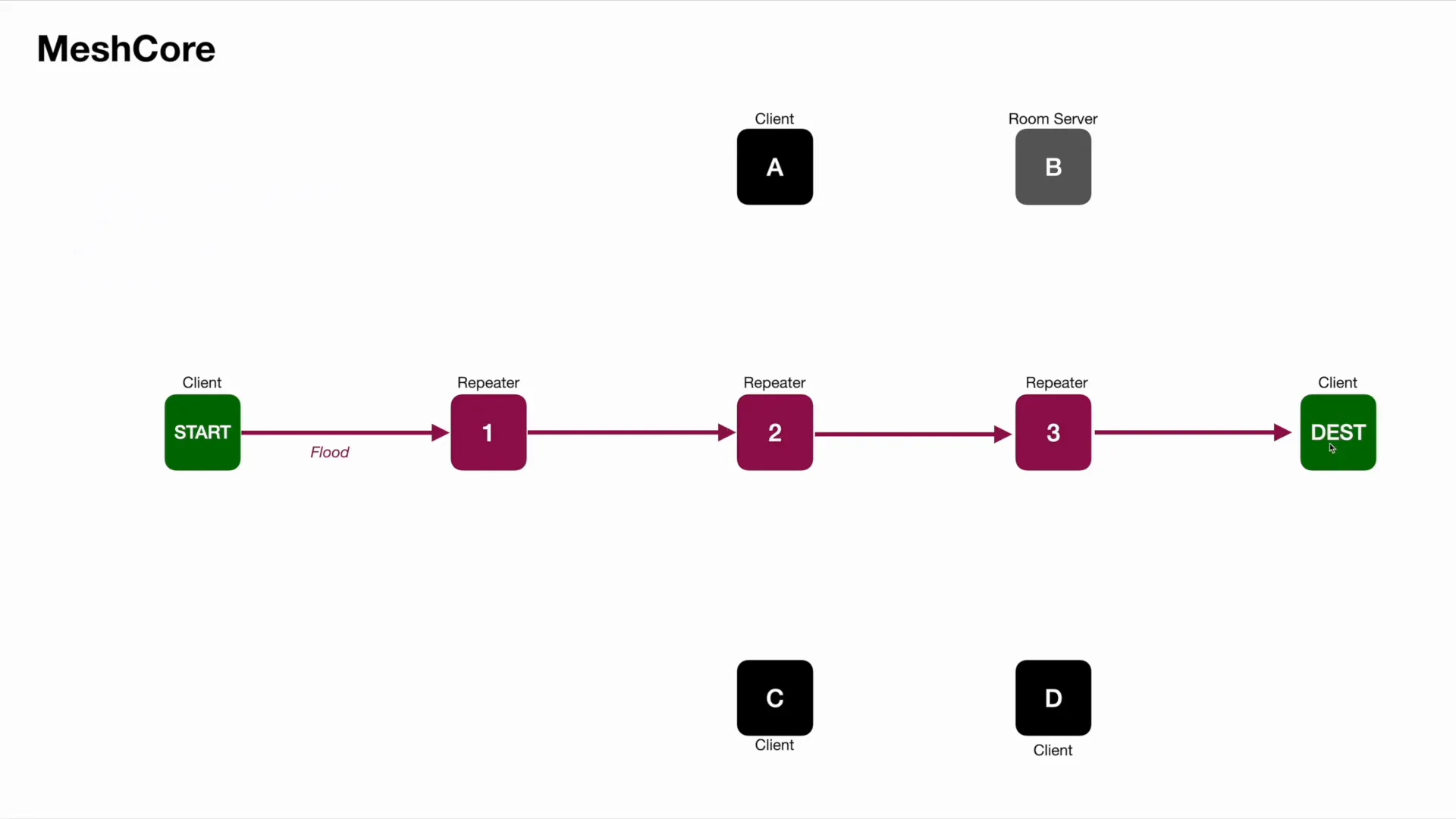
In contrast, Meshcore defaults to what it calls direct zero hop communication—clients only talk directly to other clients within radio range. Clients do not route messages for others, so if a destination is out of range, communication must be facilitated through repeaters.
Repeaters in Meshcore use a controlled flood messaging system where messages are passed from one repeater to another until they reach the target client. Importantly, clients do not participate in routing; only repeaters forward messages. This significantly reduces unnecessary traffic and network congestion.
Users can even define the specific repeater path a message takes, offering granular control over routing. The trade-off is the necessity of repeaters to extend the network range, but since most setups include repeaters (often solar-powered or otherwise), this is generally not a limitation.
Managing Devices with the Meshcore Mobile App
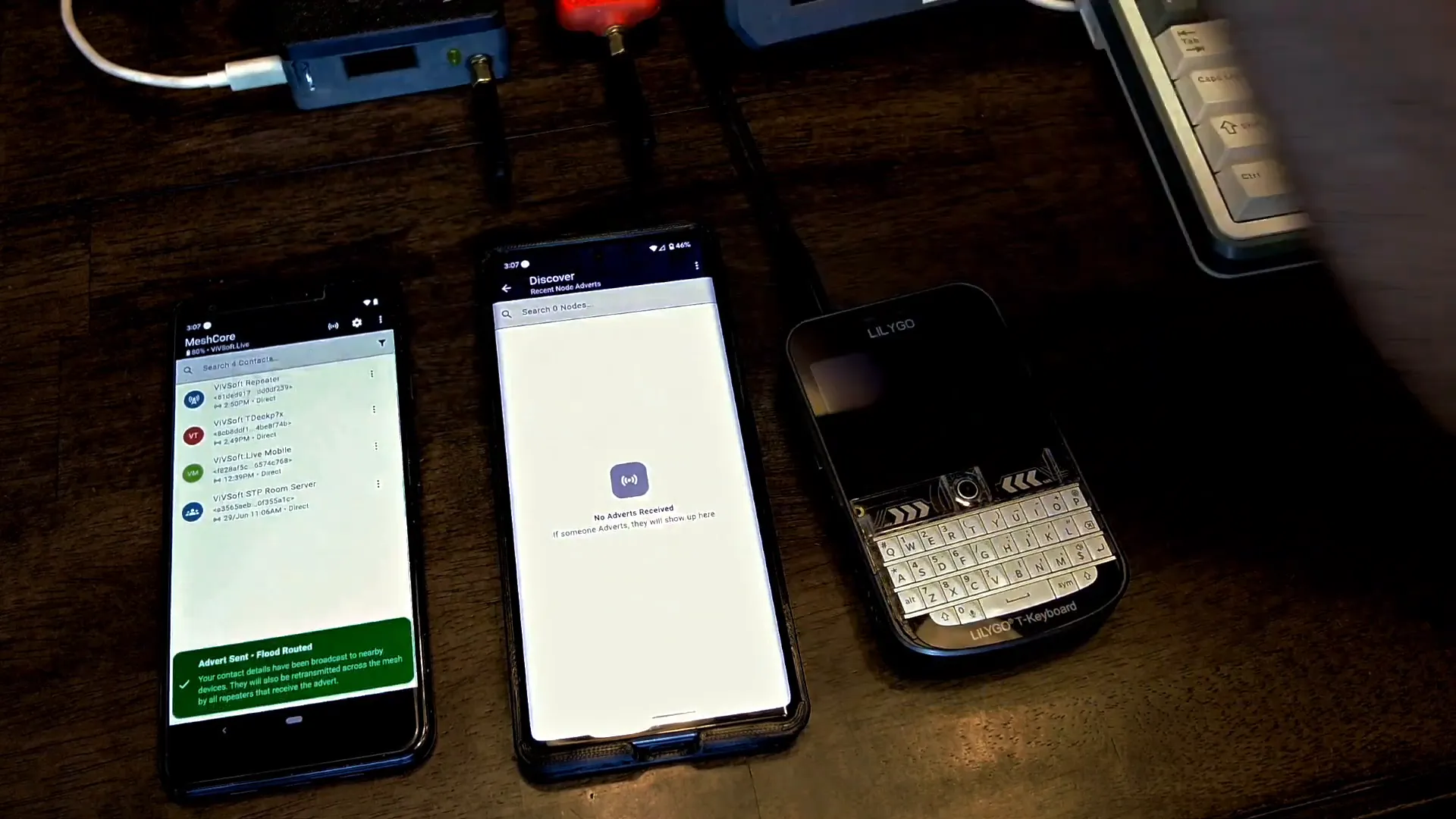
Meshcore offers a mobile app compatible with devices like the LilyGo T-Deck, providing a user-friendly interface to manage clients. Key features include:
- Viewing connected clients and their statuses
- Discovering new devices by sending adverts (announcements)
- Setting custom communication paths through repeaters
- Sending and receiving messages with clear delivery status
Unlike Meshtastic, where all devices are visible over Bluetooth, Meshcore's repeaters and room servers do not appear in Bluetooth listings once configured. They are only remotely managed through the app, emphasizing a separation of roles and control.
Messaging Control and Delivery Confirmation
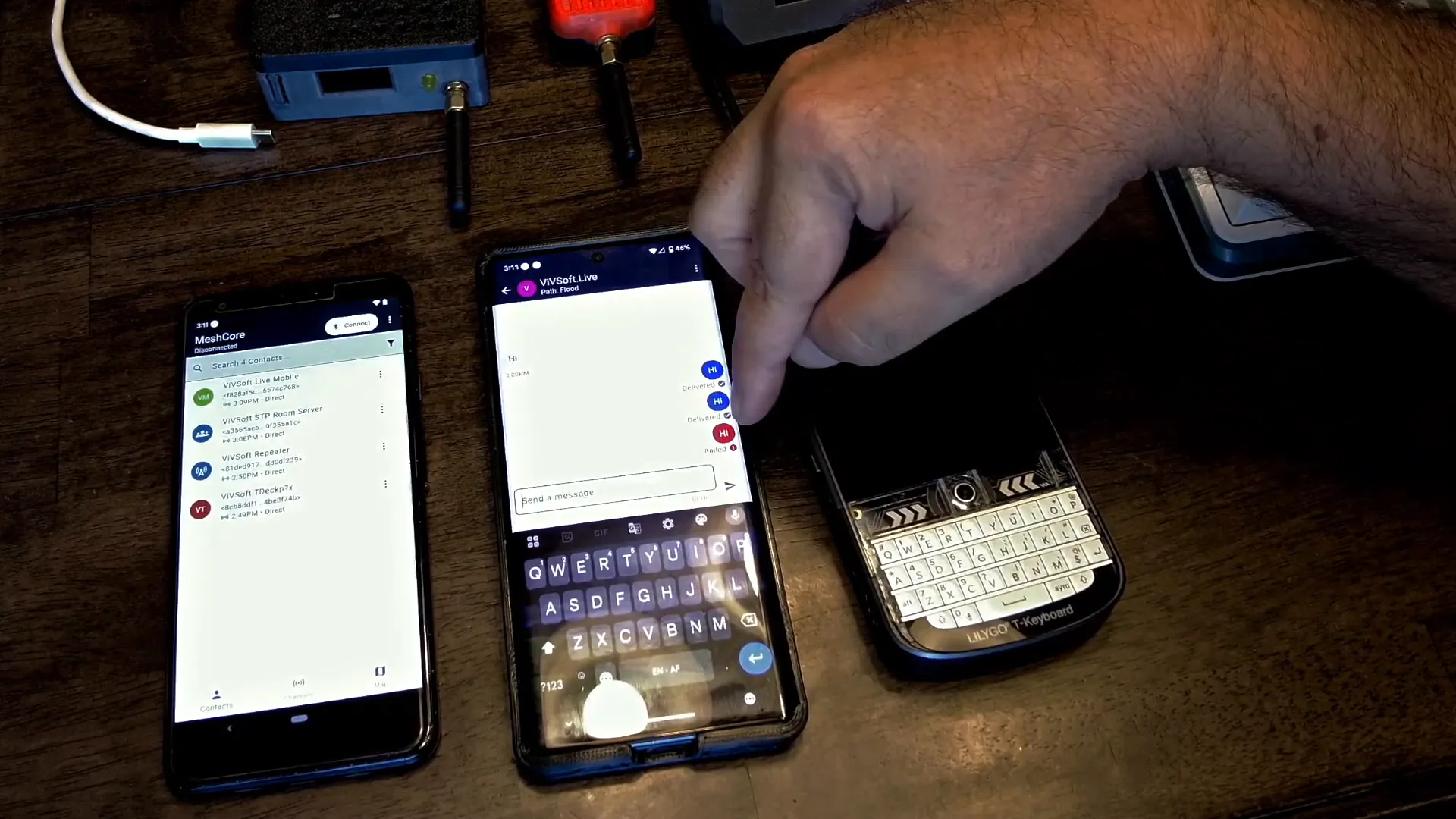
A standout feature of Meshcore is its precise control over message delivery and status. When sending a message:
- The app shows the exact number of sending attempts
- If delivery fails, it automatically switches between direct and flood routing
- Users receive clear feedback if a message was successfully delivered or failed
This contrasts sharply with Meshtastic’s ambiguous delivery confirmation, which uses a cloud with a checkmark icon that does not guarantee message receipt. Meshcore's approach eliminates guesswork, providing a definite "yes" or "no" on message delivery, a feature highly valued by users who need reliable communication.
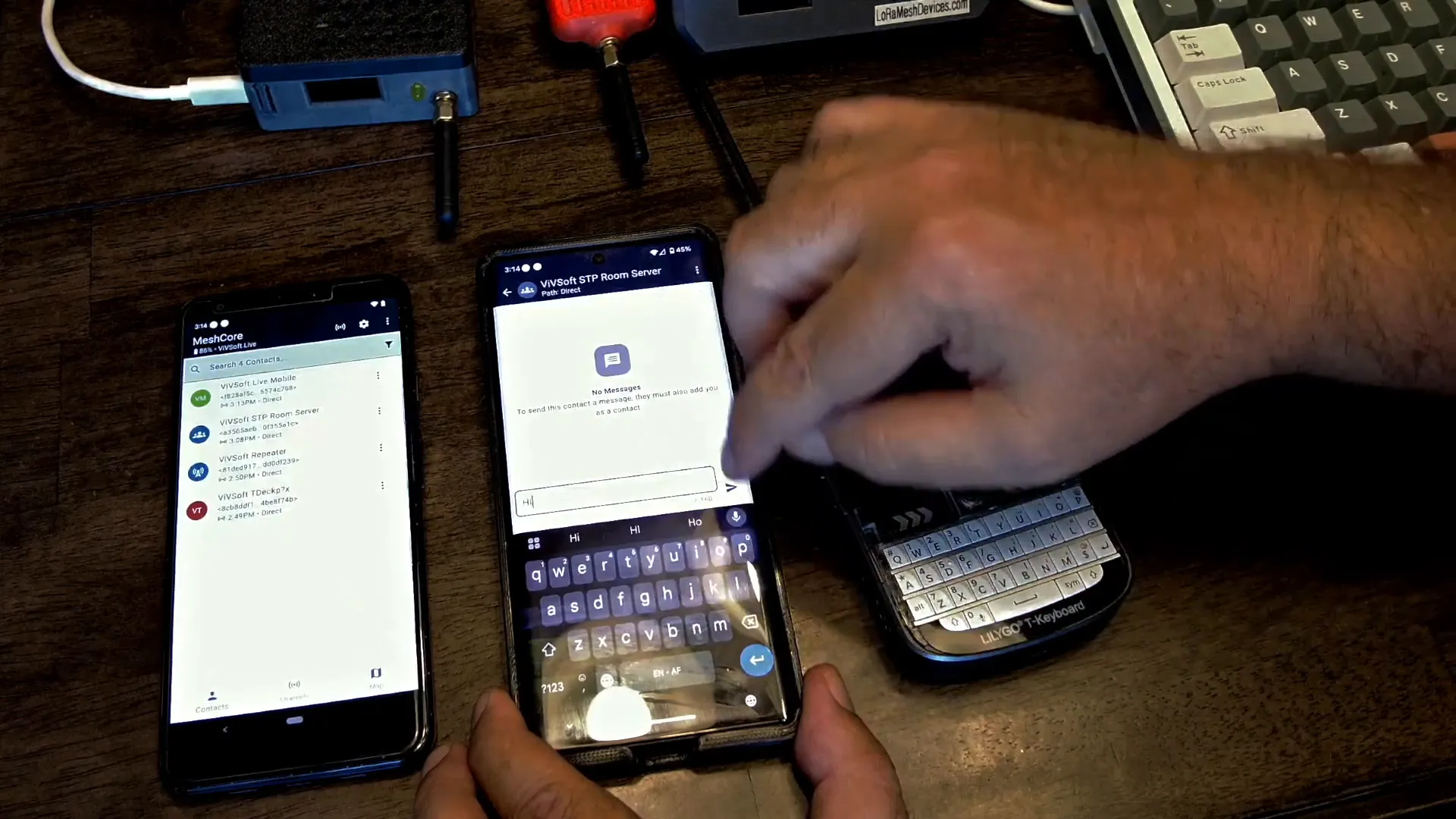
Room Server: Store and Forward Capability
The Room Server is a unique Meshcore component that acts as a store-and-forward server. With a password-protected login (default password "hello"), users can:
- Send messages to the room server which stores them until recipients connect
- Retrieve messages missed while offline by logging back into the room server
- Ensure messages are not lost even if the recipient was temporarily unreachable
This feature is particularly useful for asynchronous communication in mesh networks, adding robustness to message delivery.
LilyGo T-Deck App Features
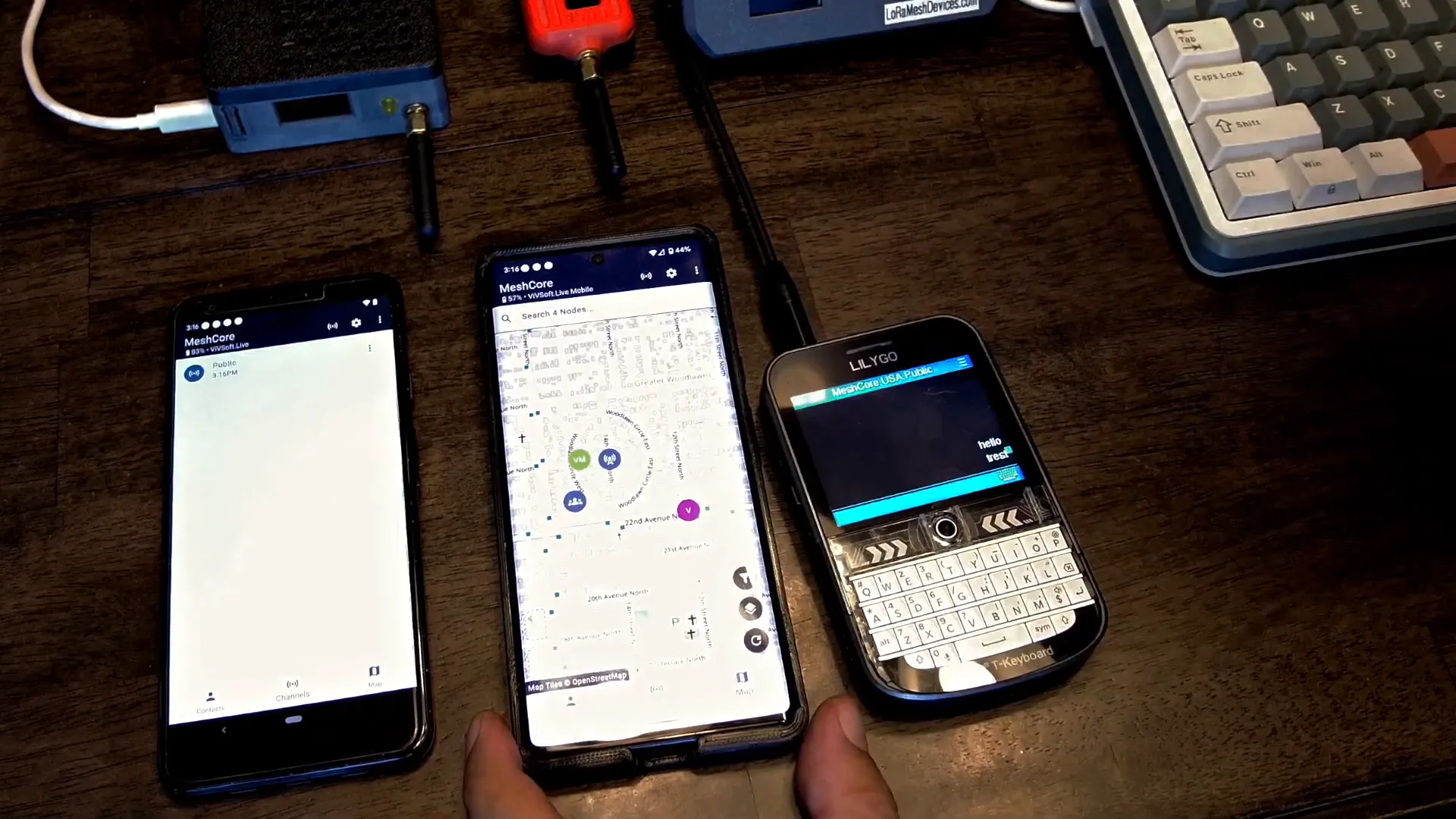
The LilyGo T-Deck app mirrors the desktop app’s functionality, with some additional cool features:
- Access to room server messages and public channels
- Ability to send public messages that broadcast to all devices online
- Integrated map showing all nodes in the area with zoom and trace route tools
- Track recording and playback for GPS routes, including elevation profiles
The map and trace route tool allow users to visualize network paths and signal strength, aiding in network planning and troubleshooting.
Configuring Devices with the Meshcore Flasher Tool
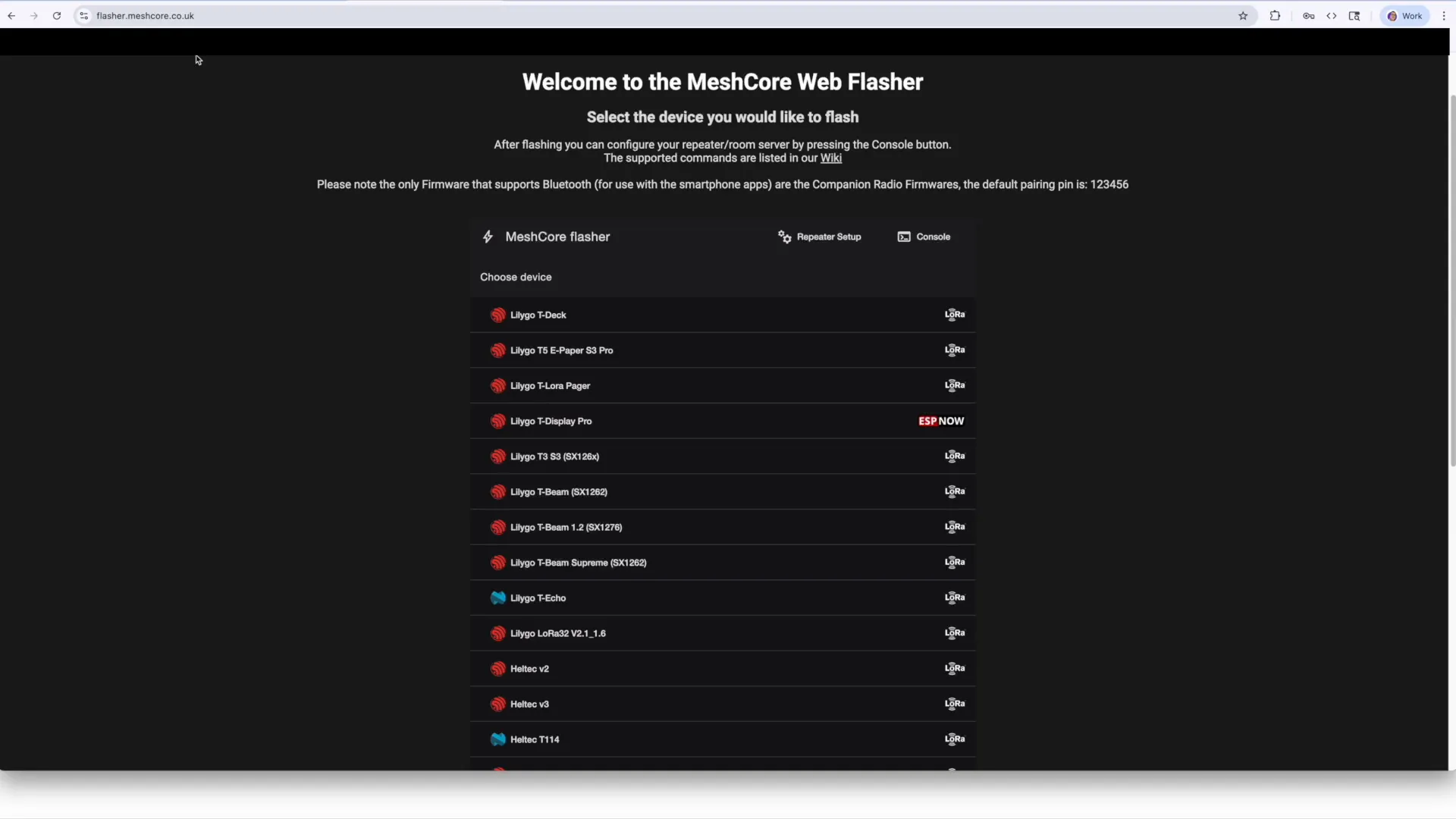
Getting started with Meshcore is streamlined through the Meshcore Flasher Tool. This PC-based tool supports a wide range of devices, including Heltec V3, Seeed Studio C3, and LilyGo T-Deck, allowing users to:
- Flash device firmware for different roles: client, repeater, room server
- Manage device settings remotely once configured
- Choose between USB or Bluetooth management modes
- Use SD cards to transfer client GUIs and identity between devices
Note that once a device is set up as a repeater or room server, its Bluetooth management is disabled, requiring remote management through the app.
Community and Network Growth: Challenges Ahead
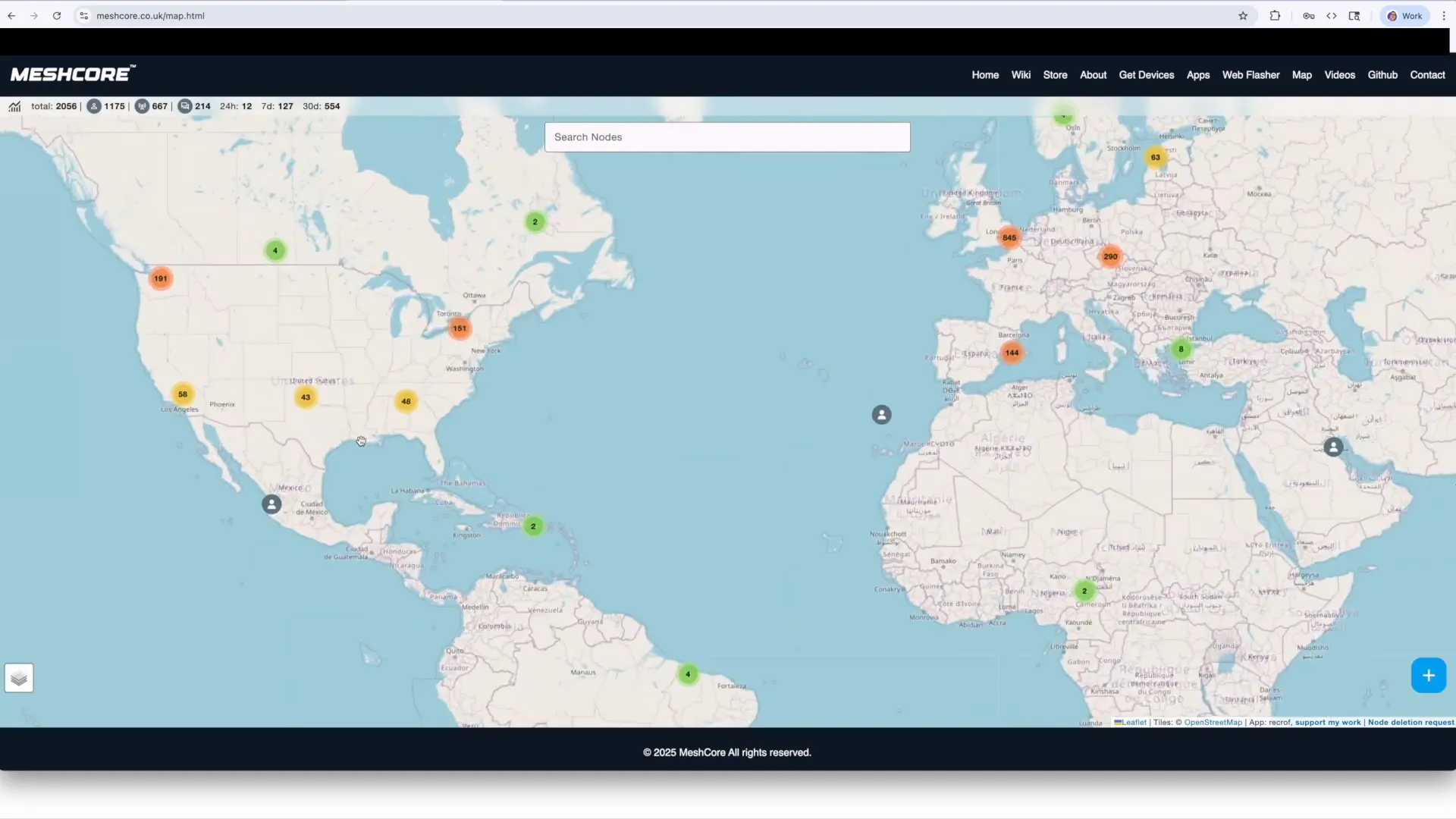
While Meshcore brings impressive control and efficiency, it faces challenges in community size and network adoption. Meshtastic currently has a larger, more established community with thousands of nodes worldwide, especially in areas like the US.
Meshcore, being newer, has fewer devices deployed, with limited coverage in regions like Florida. This fragmentation risks splitting the already small mesh networking community, reminiscent of the VHS vs Betamax format war.
Ideally, a bridge or collaboration between Meshcore and Meshtastic could unify efforts, combining Meshcore’s traffic efficiency and control with Meshtastic’s open-source accessibility and large user base.
Conclusion: Control at the Heart of Meshcore
Summing up, the core strength of Meshcore lies in the unprecedented control it offers users:
- Clear message delivery confirmation with retry feedback
- Defined routing paths via repeaters reducing network congestion
- Store and forward capabilities with room servers
- Offline GPS track recording and detailed map visualization
While Meshtastic offers true mesh flexibility and a free, open-source model, Meshcore’s innovative flood messaging and device management tools make it a compelling choice for those who prioritize reliability and network efficiency.
If you’re interested in exploring mesh networking with greater control and insight, Meshcore is definitely worth trying out.
Frequently Asked Questions
What is the main difference between Meshtastic and Meshcore routing?
Meshtastic uses a true mesh network where clients route messages for each other, leading to more traffic but flexible paths. Meshcore requires repeaters for routing, with clients only communicating directly within radio range, reducing traffic and increasing control.
Can I use the same devices for both Meshtastic and Meshcore?
Many devices like Heltec V3, Seeed Studio C3, and LilyGo T-Deck are supported by both platforms, but firmware and configuration differ. Meshcore provides a flasher tool to set devices for different roles within its network.
Does Meshcore require payment for full app functionality?
Yes, unlike Meshtastic which is free, Meshcore requires purchasing a license (around $10) to unlock the full app features.
What is a room server in Meshcore?
A room server acts as a store-and-forward server, storing messages for offline clients and delivering them once they reconnect, ensuring no messages are lost.
How does Meshcore improve message delivery confirmation?
Meshcore shows exact sending attempts and clearly indicates success or failure, eliminating the uncertainty present in Meshtastic’s delivery indicators.
Meshtastic vs MeshCore Routing
