
Boost Your Mobile Meshtastic Node Signal with This Car Hack!
Published by Vivian van Zyl in Meshtastic the 02/14/2025 at 03:57 pm

Are you struggling to maintain a reliable signal while using your mobile Meshtastic node in your car? You're not alone! Many of us have experienced the frustration of driving for miles without picking up any nodes. The good news is that there’s a simple yet effective solution to enhance your signal while on the road.
Table of Contents
- Understanding the Problem
- The Innovative Solution
- Why This Setup Works
- Additional Tips for Enhancing Signal Strength
- Conclusion
- Frequently Asked Questions
Understanding the Problem
When it comes to mobile nodes like the Heltec Stick, the primary issue is that the node and antenna are often housed inside the car. This creates a significant barrier to signal reception because a car acts like a metal box, blocking signals from the outside. As a result, you might find yourself driving for ten or even twenty miles without seeing any other nodes.
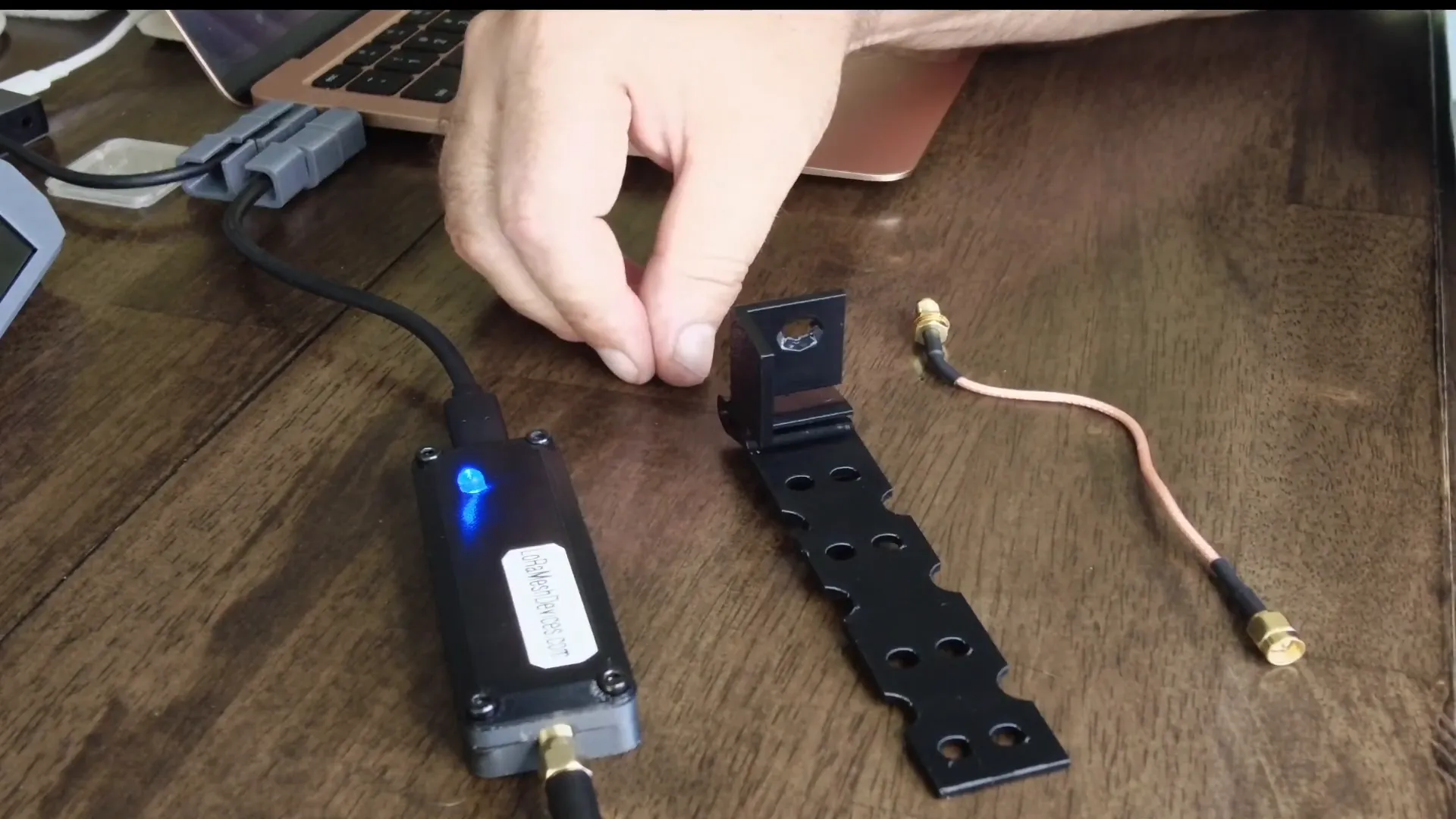
To combat this, it's essential to position your antenna outside the vehicle. While some might suggest running a long cable to an antenna mounted on the roof, this can lead to additional complications. The small power levels of these radios mean that any cable longer than two to three feet can cause significant signal loss. Therefore, the best approach is to minimize the distance between the radio and the antenna.
The Innovative Solution
What if I told you that a simple 3D-printed antenna holder could solve all your signal issues? This holder is designed to securely mount your antenna outside the car while keeping the node inside. This setup not only protects the node but also maximizes your signal strength.
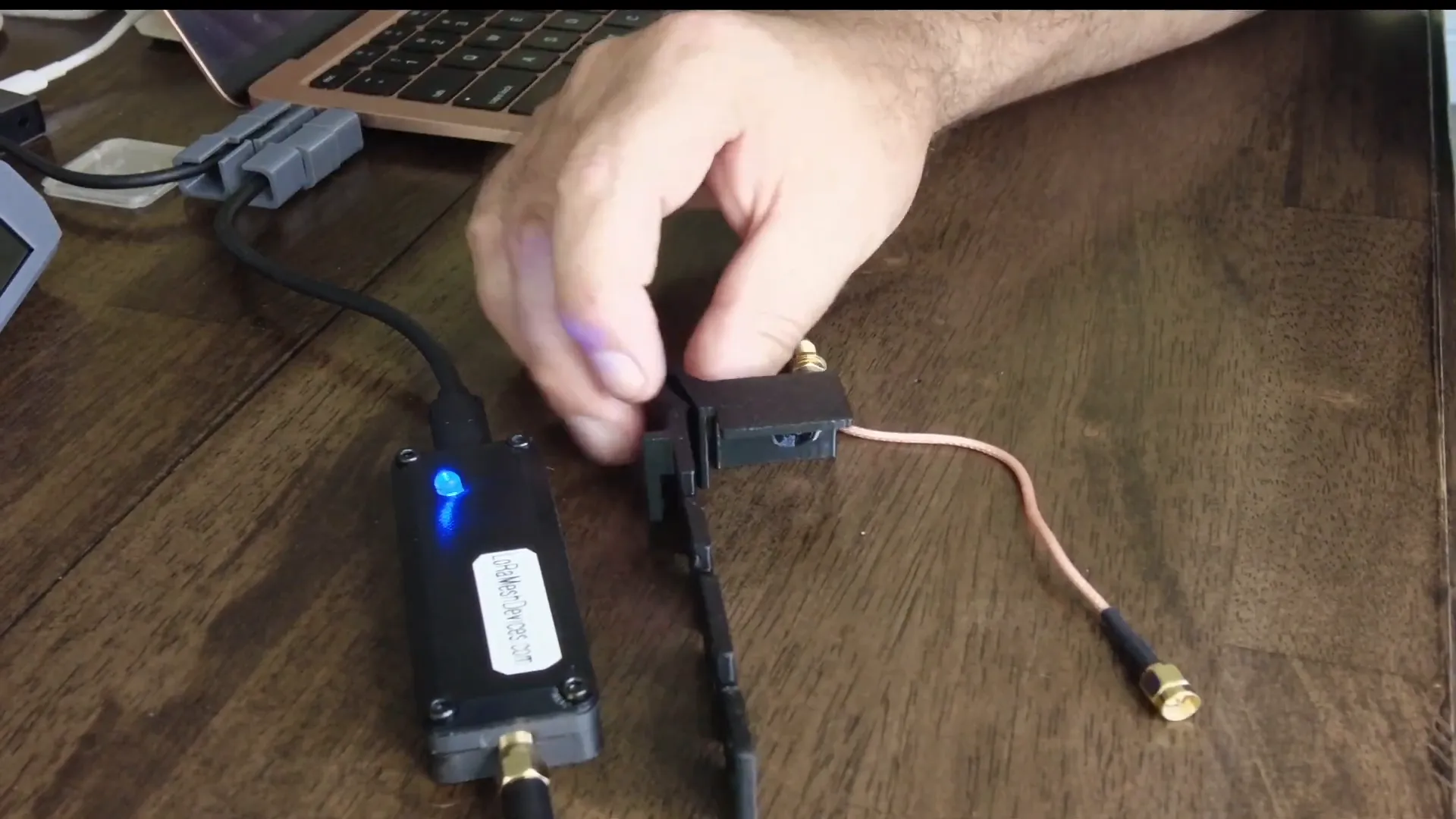
To create this setup, you'll need a few items:
- A 3D-printed antenna holder (link provided below)
- A pigtail or extension cable
- Your mobile node, like the Heltec Stick
You can find the 3D print of the antenna mount here.
Step-by-Step Setup Process
Let’s walk through the setup process:
- Start by getting your pigtail or extension cable ready. This will connect your antenna to the mobile node.
- Feed the cable through the 3D-printed holder. The design is slightly angled to ensure the antenna points outward, improving signal reception.
- Attach the antenna to the holder and run the cable to the node that you’ll place inside the car.
- Secure your mobile node onto the holder using elastic bands or screws, ensuring it’s tight and secure.
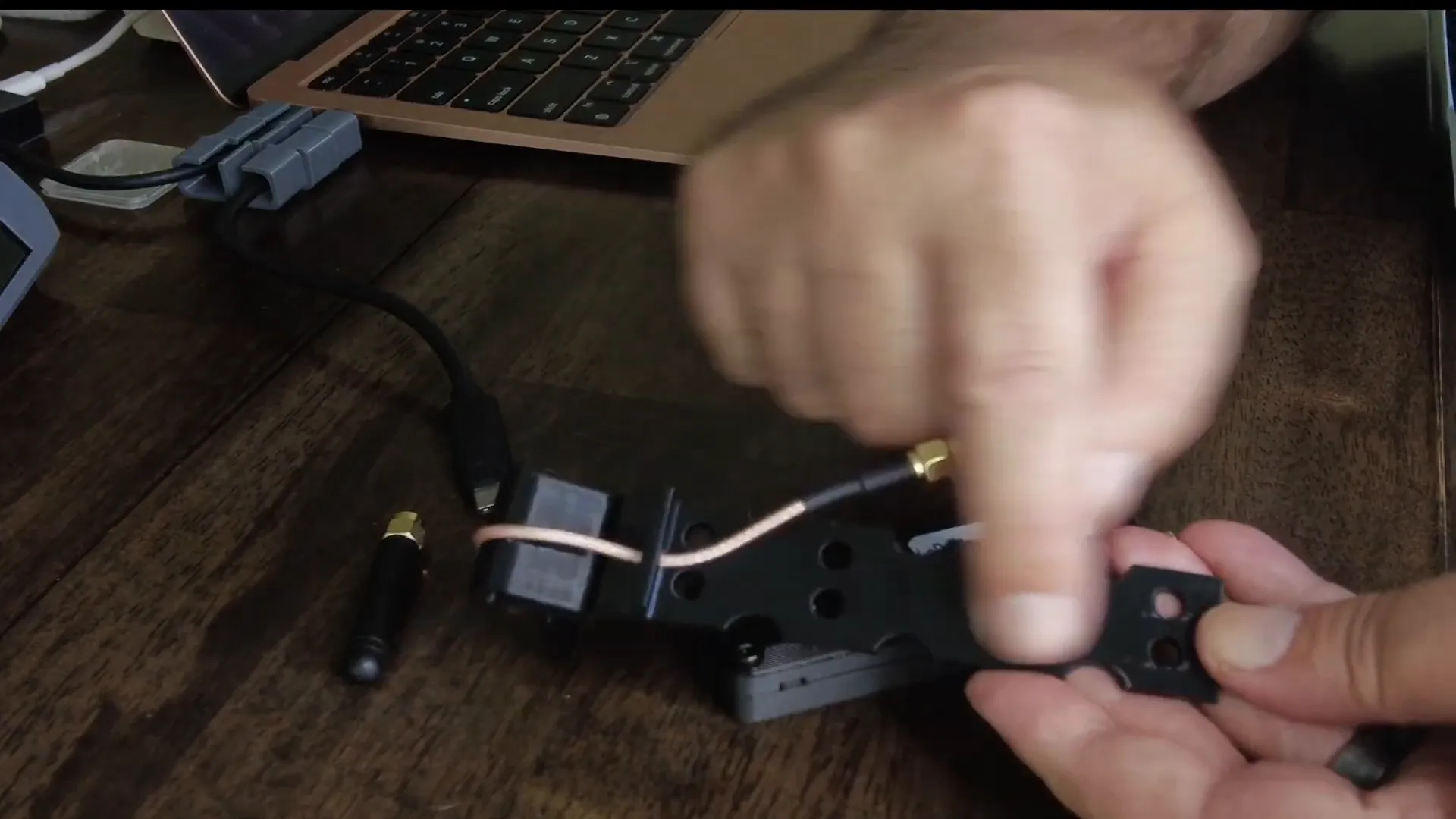
Once this is done, you’ll have an effective mobile node setup that allows for optimal signal reception while you drive. The antenna will be outside, while the node remains safely inside the vehicle.
Why This Setup Works
Using this setup, you’ll notice a significant difference in the number of nodes you can pick up while driving. The combination of having the antenna outside and the node inside is a game changer. You can power the node through a USB port or use battery-powered nodes, which adds even more convenience.
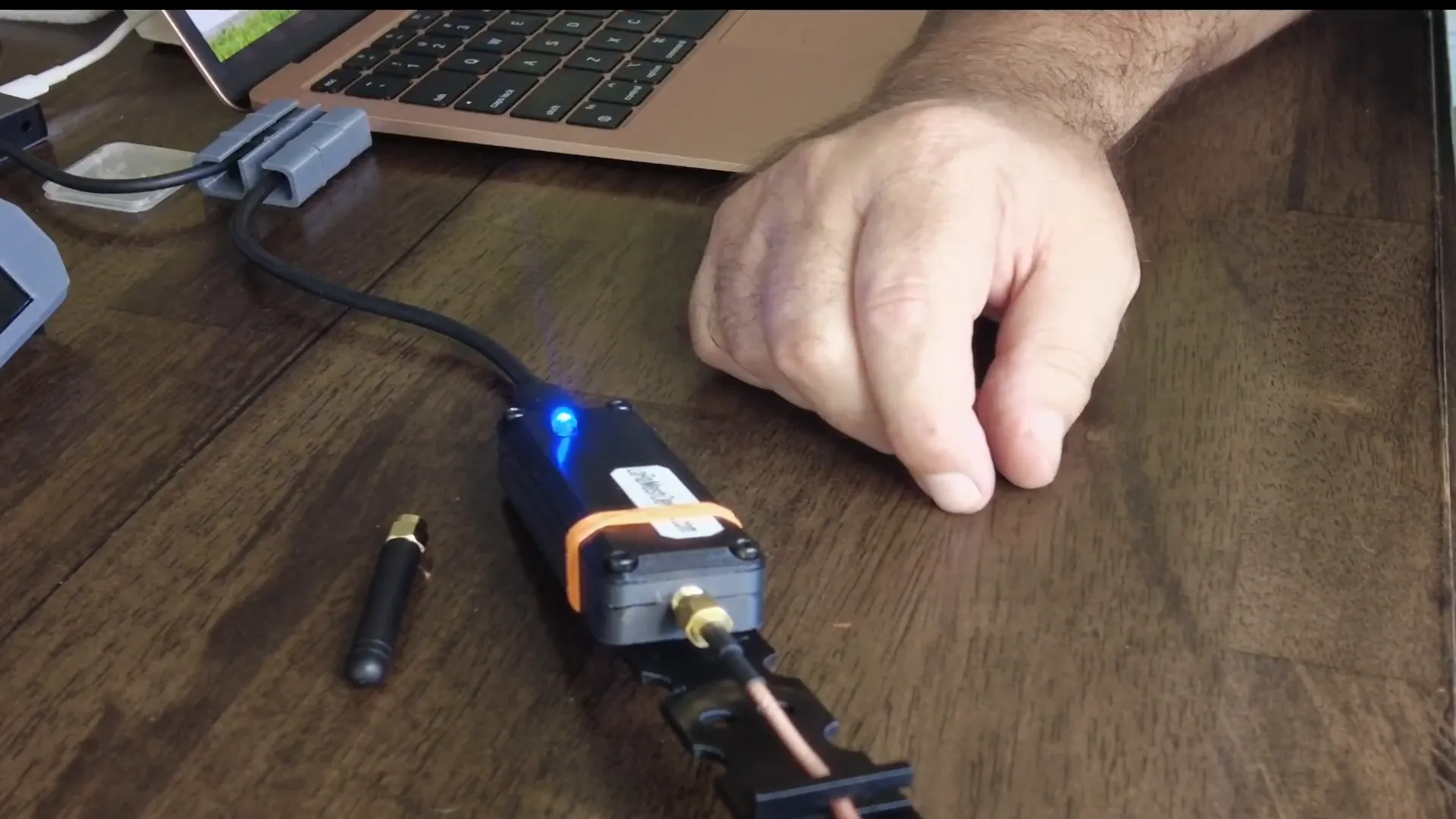
With this configuration, I’ve personally experienced a dramatic increase in the number of nodes detected while driving. It’s a straightforward hack that has turned my mobile connectivity from almost nonexistent to robust and reliable.
Additional Tips for Enhancing Signal Strength
Here are a few additional tips to further enhance your signal strength while using Meshtastic nodes:
- Minimize cable length: As mentioned earlier, longer cables can lead to signal loss. Keep your connections as short as possible.
- Choose the right placement: The position of your antenna matters. Try to mount it in a location that has the least obstruction from the vehicle and surrounding environment.
- Use high-quality cables: Invest in quality pigtail or extension cables to ensure optimal signal transfer.
- Consider using a preamplifier: If you still face issues, a preamplifier can boost the signal before it reaches your node.
Conclusion
Boosting your mobile Meshtastic node signal doesn’t have to be complicated. By using a simple 3D-printed antenna holder and following the setup process outlined above, you can significantly enhance your signal reception while on the move. This hack is perfect for anyone using mobile nodes for GPS tracking, IoT projects, or simply staying connected on the go.
For more information on Meshtastic devices and tools, check out the Meshtastic Devices page.
Frequently Asked Questions
What is Meshtastic?
Meshtastic is an open-source project that enables long-range communication using LoRa technology. It allows users to send messages and share location data without relying on traditional cellular networks.
How do I set up my Meshtastic node?
Setting up your Meshtastic node involves connecting your device, configuring it through the app, and ensuring that your antenna is optimally placed for signal reception.
Can I use other types of antennas with my Meshtastic node?
Yes, you can use various antennas; however, ensure they are compatible with the frequency your node operates on for the best results.
Where can I find more resources for Meshtastic projects?
You can explore various resources and community support on the ViVSoft YouTube channel and other forums dedicated to Meshtastic.
Thank you for reading! Now, get out there and enhance your mobile connectivity with this simple hack!