Build a Multi-Frequency Meshtastic MeshCore Tower ????
Published by Vivian van Zyl in Meshtastic the 08/18/2025 at 01:31 pm

In this post I’ll walk you through a little project I’ve been playing with: a compact, three-board tower that combines Meshtastic, a private LoRa network, and a MeshCore room server — all running together. This is my hands-on walkthrough inspired by my own experiments, and I’ll show you how each node works, why I built this setup, and how the pieces talk to one another. If you’ve ever wanted a single point that runs meshtastic meshcore services, sensor collection, and MeshSense mapping — this is a practical example.
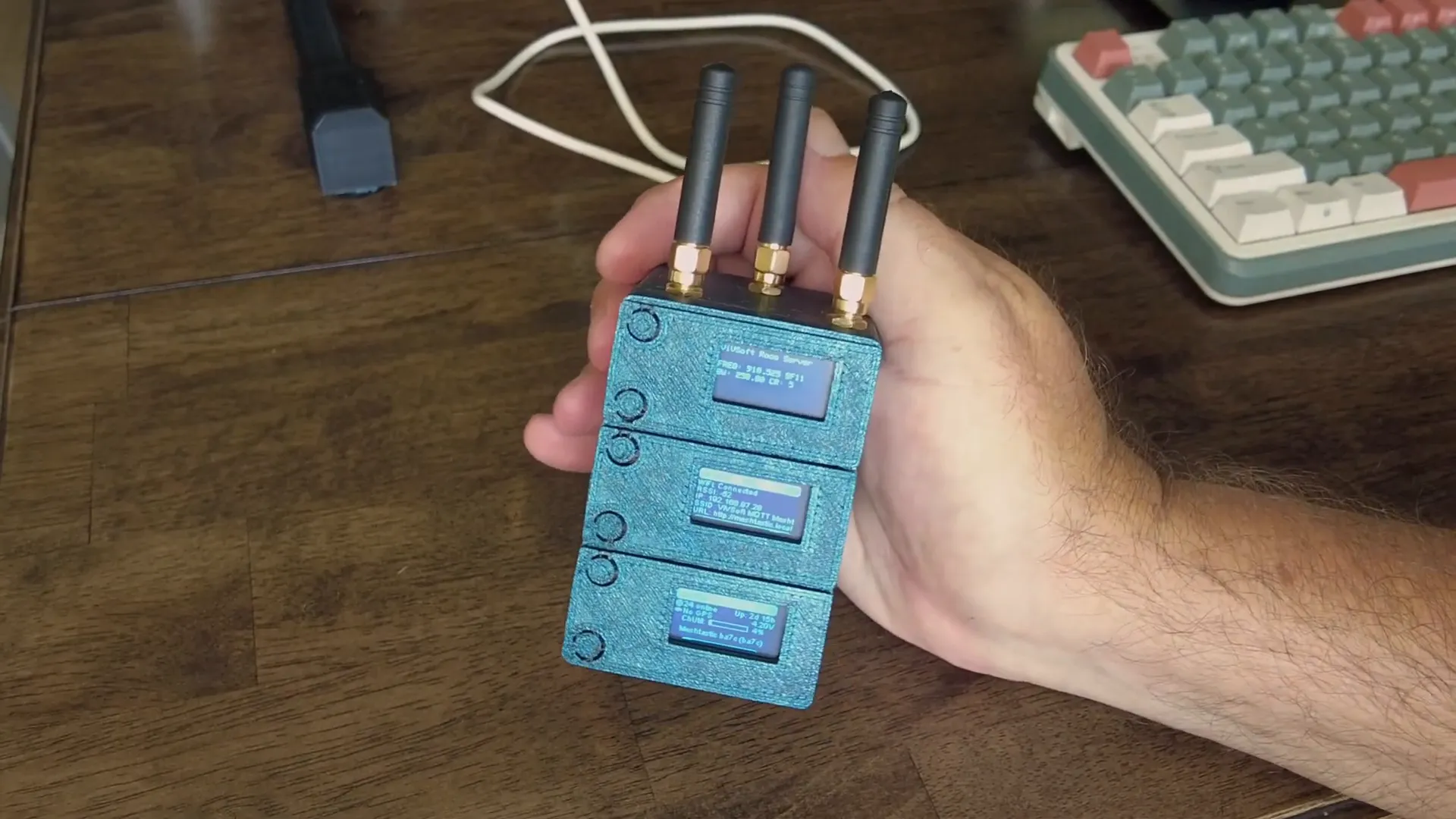
Table of Contents
- Project overview: what this little tower does
- Bottom node: Meshtastic + MeshSense (node discovery and mapping)
- Top node: MeshCore room server (offline message store)
- Middle node: private network for sensors (MQTT → Home Assistant)
- Why run meshtastic meshcore and private networks together?
- Parts & quick build notes
- FAQ
- Wrap-up
Project overview: what this little tower does
I built a small Heltec V3 tower (3D printed housing) that holds three devices stacked vertically. Each board is configured for a different purpose and operates on its own frequency so there’s no interference between services:
- Top board — MeshCore room server (frequency ~910.525 MHz)
- Middle board — Private LoRa network for sensor data (frequency ~908.375 MHz)
- Bottom board — Meshtastic (standard US frequency) for public node discovery and MeshSense (frequency ~906.875 MHz)
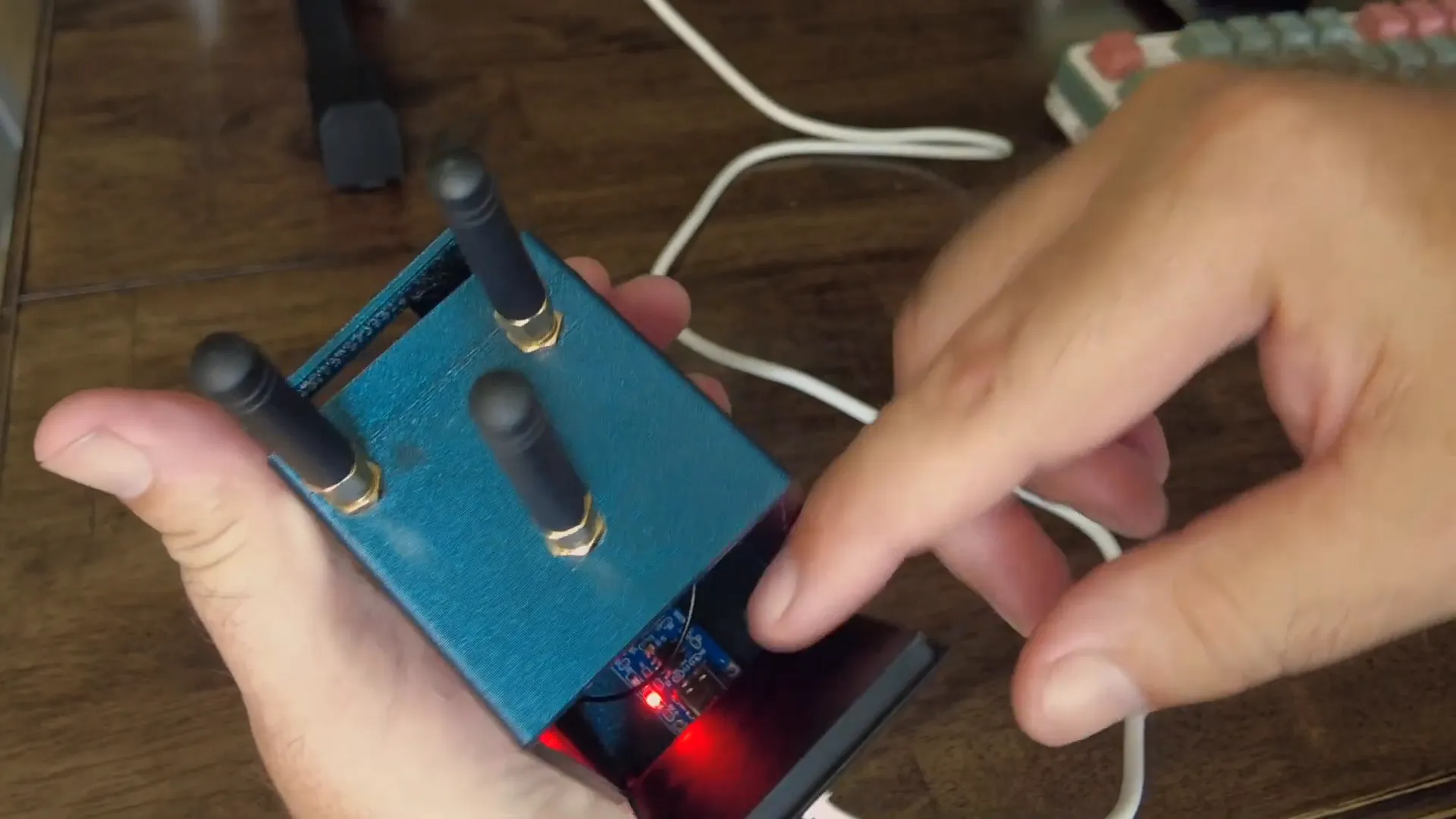
The housing is 3D printed (not perfect, but functional), with three little antennas poking out the top. A small USB power distribution board supplies the three boards. Note: in this version the antennas are a little too close — I’ll space them farther apart in v2.
Bottom node: Meshtastic + MeshSense (node discovery and mapping)
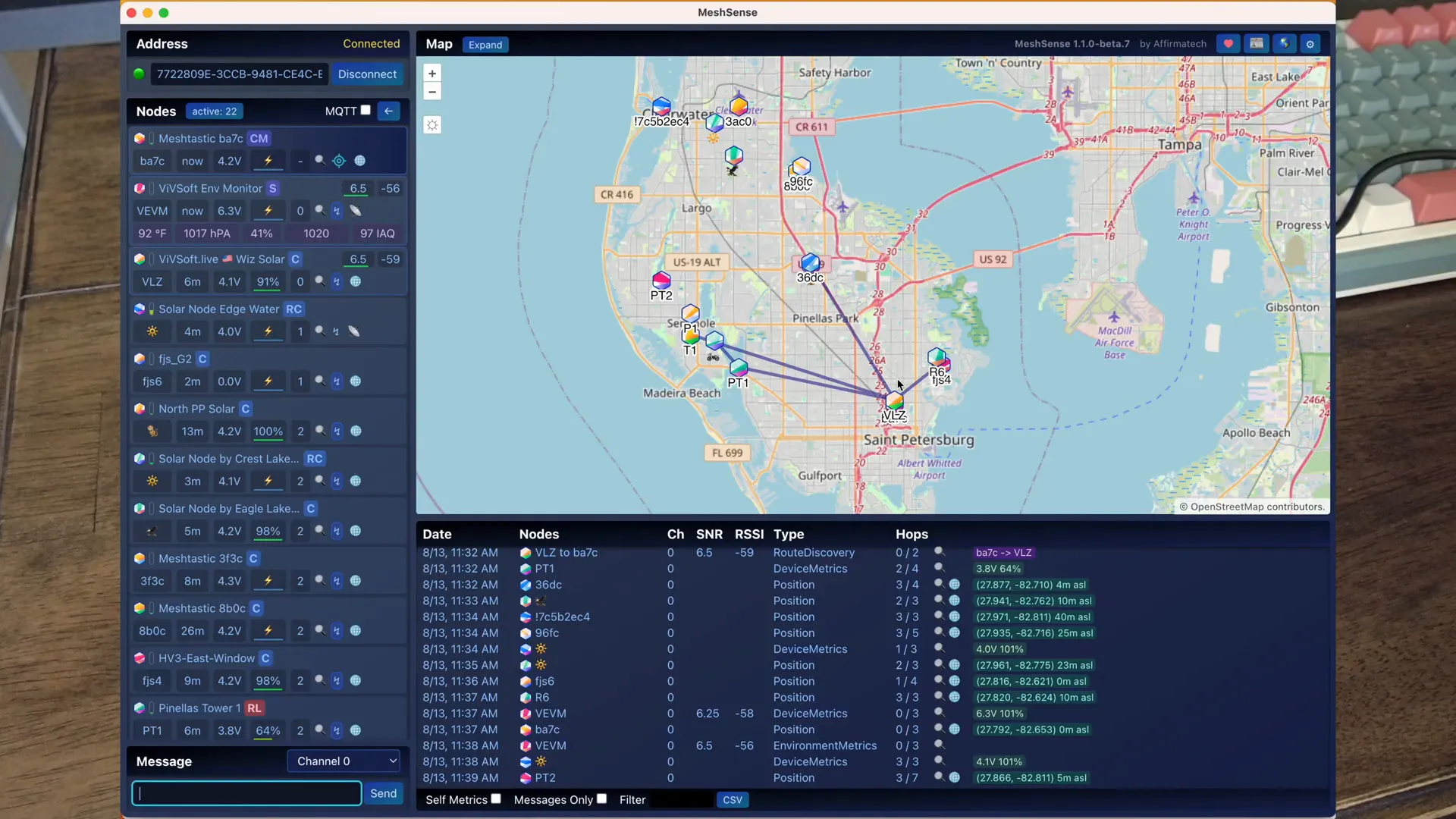
The bottom Heltec is set to the Meshtastic standard frequency and is primarily used with MeshSense. MeshSense scans and pings nearby Meshtastic nodes, draws links when nodes are reachable, and uploads discovery data to the public map. I use this node to collect local nodes, monitor connectivity, and perform simple traces—like pinging my solar roof node and watching the route.
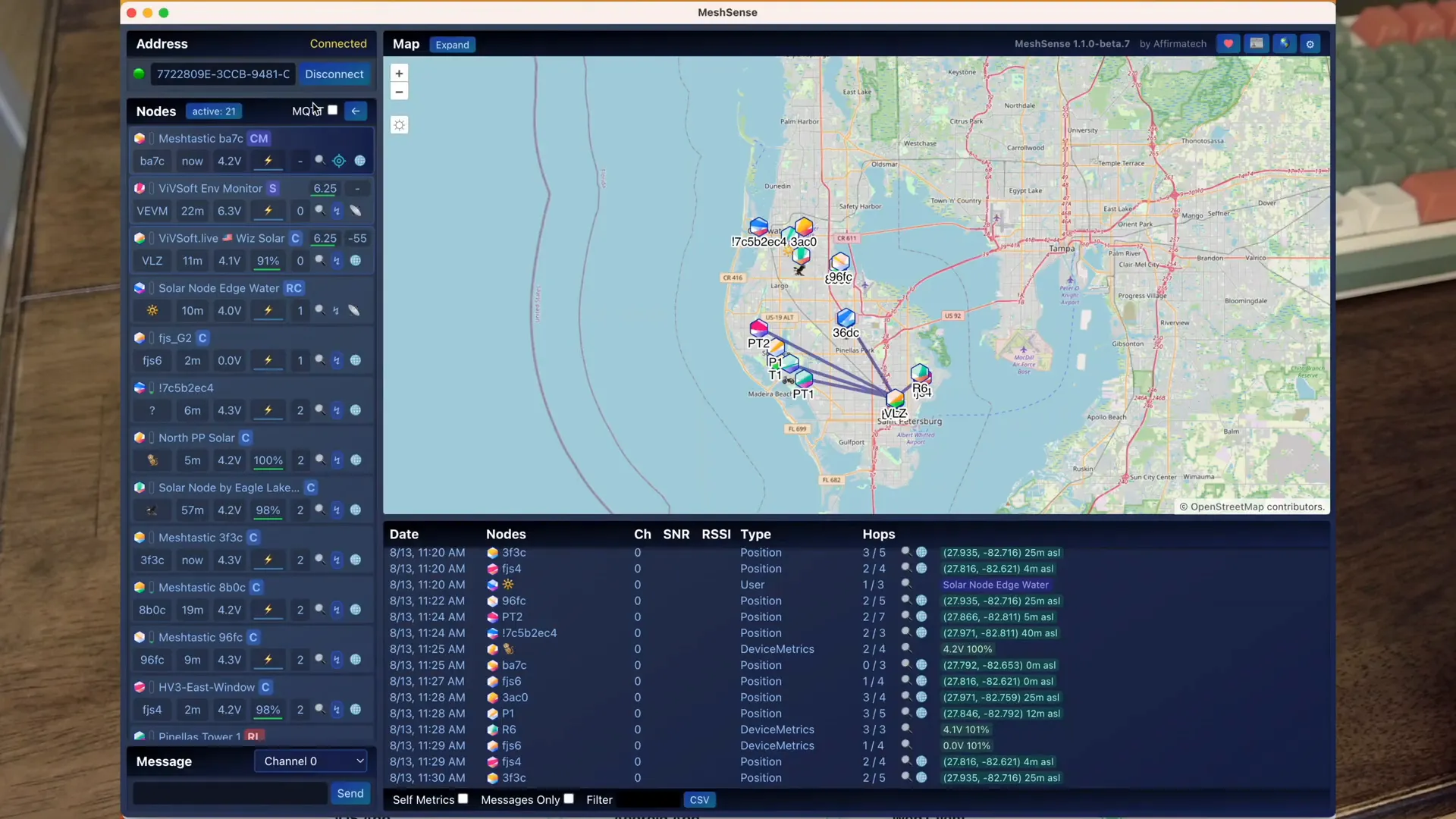
MeshSense keeps trying known nodes and updates connections in real time; when a node drops, the lines disappear and I know it’s out of range. The bottom node also lets me send and receive messages on the Meshtastic network if needed.
Top node: MeshCore room server (offline message store)
The top board runs MeshCore and I configured it as a room server. Using the MeshCore WebFlasher and the repeater setup, I set the device location and frequency (910.525 MHz for my build). As a room server, it advertises locally and allows other users to leave messages even when I’m offline. Later, when I start my MeshCore client, I can fetch messages left for me.
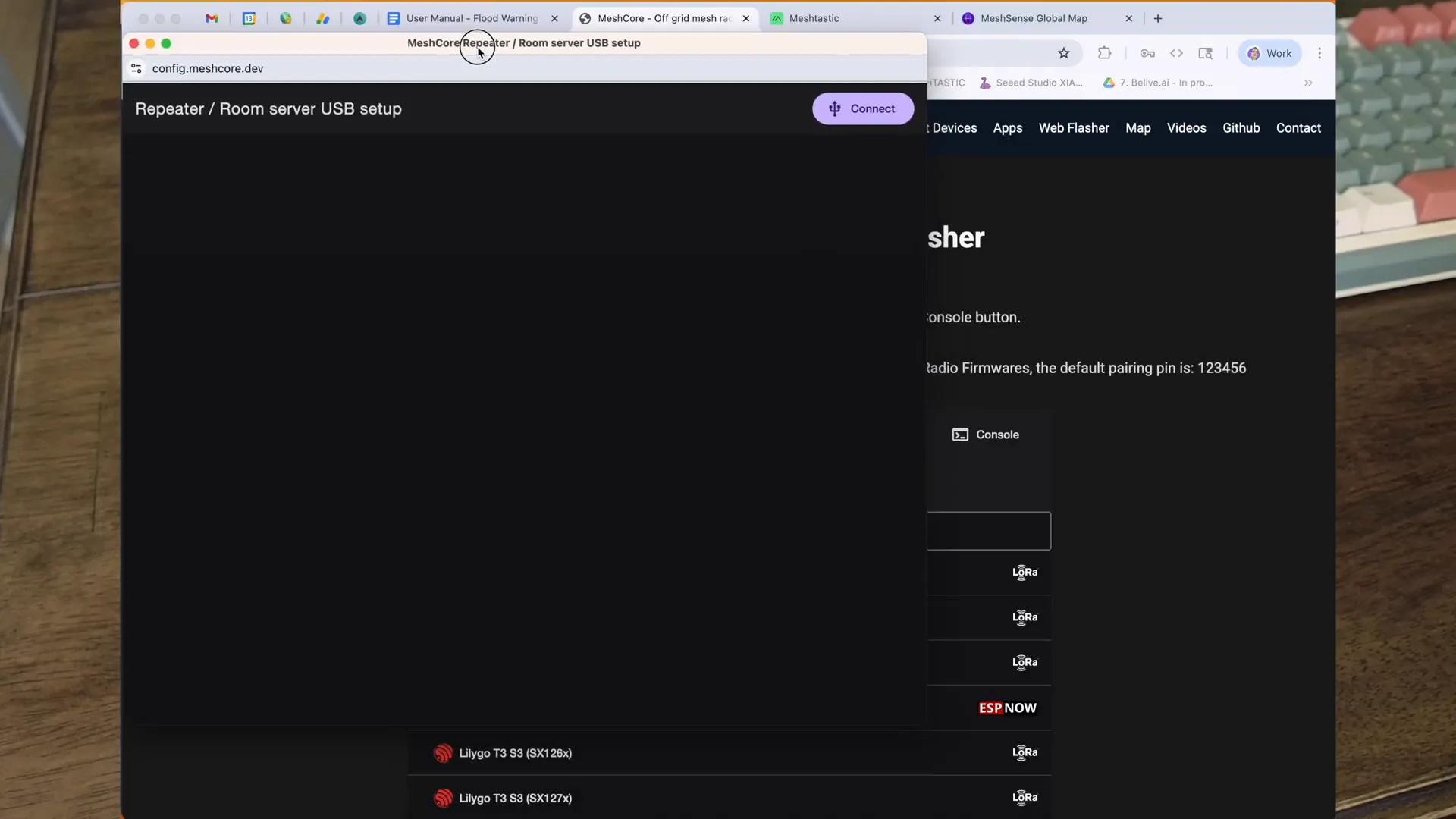
This makes the top node a local, persistent mailbox on the mesh — very handy for leaving short notes or alerts when someone passes by the area.
Middle node: private network for sensors (MQTT → Home Assistant)
The middle Heltec runs a small private LoRa network (configured on ~192.168.x.x and connected to Wi‑Fi). I use it to aggregate sensor data from custom nodes — for example, ultrasonic water-level sensors powered by small solar panels and battery packs. These nodes wake and transmit roughly every 5–6 minutes to conserve power.
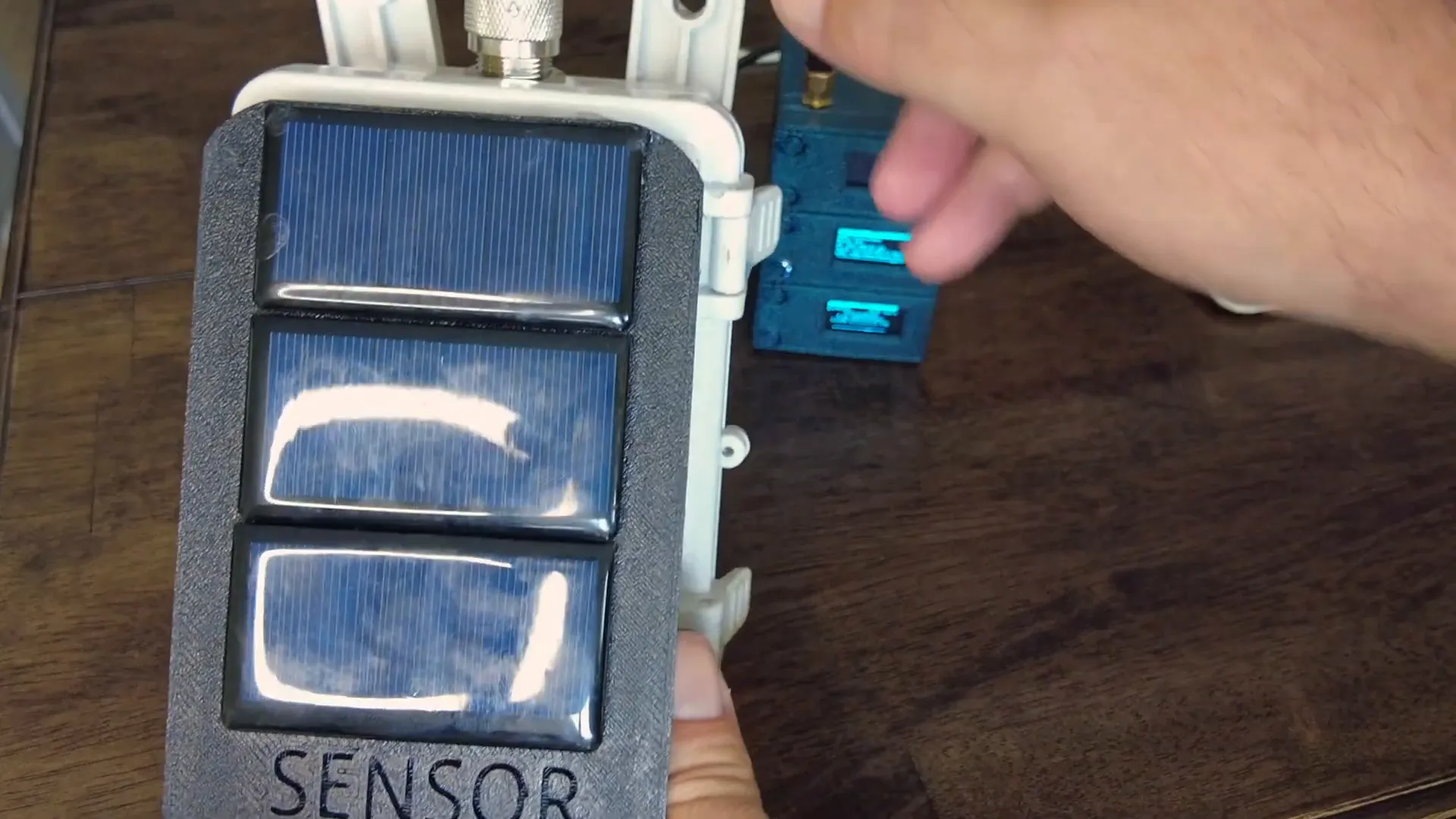
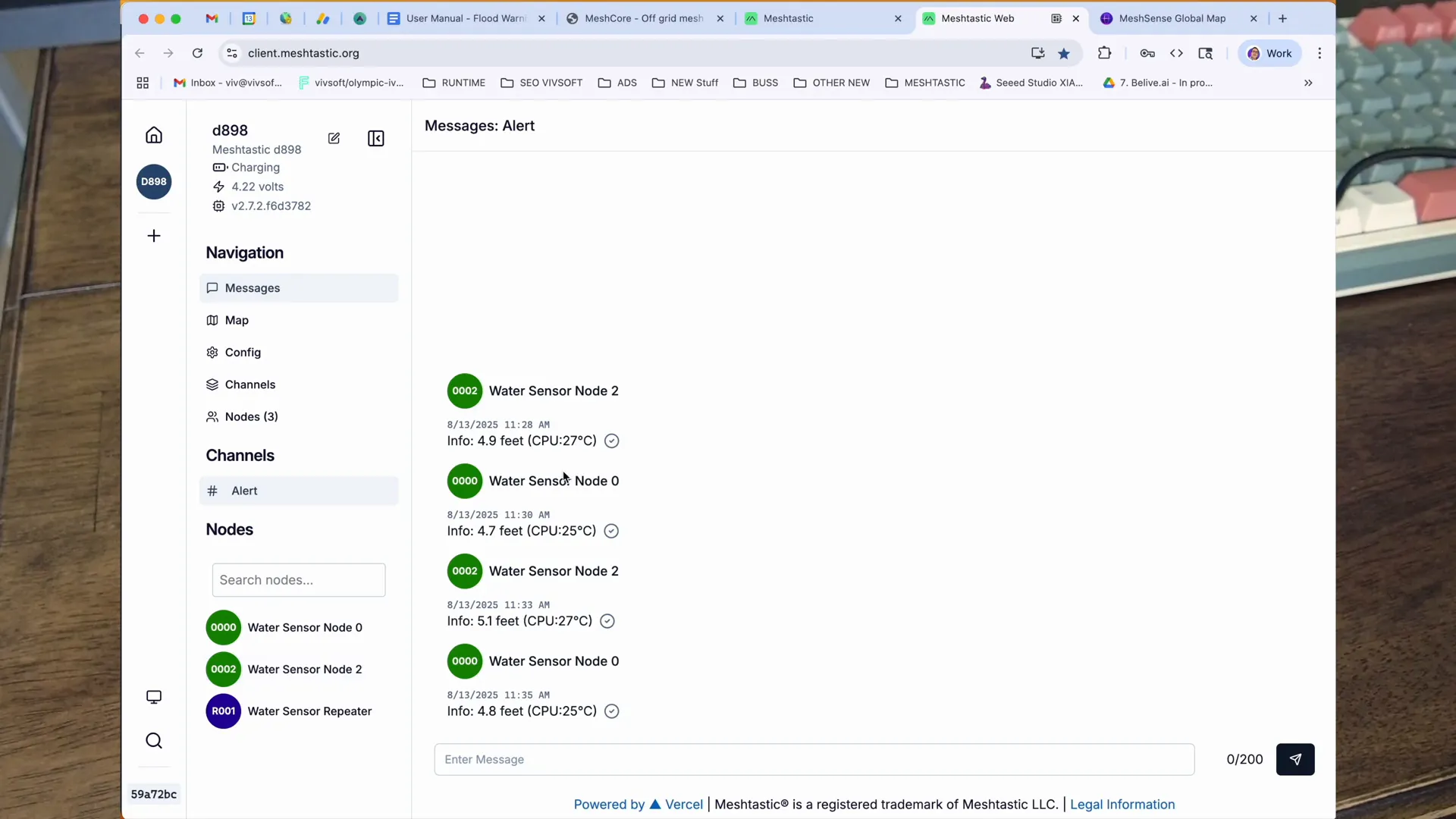
Sensor data received by the middle node is forwarded to MQTT and then into Home Assistant (or any other consumer). Typical sensor payloads include distance (e.g., 4.8 ft) and internal temperature (e.g., 25°C). I currently have two water-sensor nodes reporting levels to a repeater outside; the middle node turns those messages into useful telemetry.
Why run meshtastic meshcore and private networks together?
Consolidating these services into a single small enclosure gives me a compact “server farm” that:
- Provides public node discovery and mapping via MeshSense (Meshtastic)
- Hosts a MeshCore room server for offline messaging
- Aggregates private sensor data and funnels it into my home automation stack
Each service runs on its own frequency and has a dedicated antenna so they can operate simultaneously without interfering (although antenna spacing needs improvement, see v2).
My current limitations and planned improvements
- 3D print quality is basic — I’ll refine v2 for better spacing and ventilation.
- Antennas are too close in this version — I’ll separate them in the next build to reduce coupling.
- I’ll publish a separate tutorial showing how to bridge two Meshtastic networks using Meshtastic’s UDP function.
Parts & quick build notes
- Three Heltec V3 (or similar ESP32 + LoRa) boards
- 3D-printed stackable housing
- USB power distribution board (5V → each board via USB)
- Three small antennas (space them apart)
- Optional: solar-powered ultrasonic sensor nodes, batteries, waterproof cases
FAQ
Q: What is meshtastic meshcore and how do they work together?
A: meshtastic meshcore in this context means running Meshtastic (LoRa-based mesh) alongside MeshCore services. Meshtastic provides device-to-device messaging and node discovery (and connects to MeshSense), while MeshCore allows for room/server functionality — offline message storage and advertisements. Running both lets you map public nodes and host an offline mailbox at the same time.
Q: Can I bridge Meshtastic networks?
A: Yes. I’ll make a dedicated tutorial, but the short answer is you can bridge networks using Meshtastic’s UDP features to forward messages between frequencies/networks or via an intermediary that relays packets into both networks.
Q: How do the sensors get their data into Home Assistant?
A: Sensor nodes send LoRa packets to the middle private node. The middle node forwards the packets to an MQTT broker; Home Assistant subscribes to the broker topics and ingests the telemetry.
Q: Are the antennas close together a problem?
A: In this build they’re too close — it can cause coupling and reduce range. I plan to space them further apart in version 2 and will document the improvement.
Wrap-up
This little tower is my way of consolidating different mesh functions into one compact hub: MeshSense-enabled Meshtastic for discovery, MeshCore for offline rooms, and a private LoRa network for sensor telemetry feeding MQTT and Home Assistant. Expect follow-up posts and videos with deeper dives — including a bridge tutorial and a dedicated guide for building the solar-powered water sensors.
If you’ve got questions about frequencies, bridging, sensors or the build itself — ask away. I’ll be making more focused tutorials over the next few weeks.