
Meshtastic Offline GPS Tracking: Save Your Route Without a Phone
Published by Vivian van Zyl in Meshtastic the 10/15/2026 at 08:47 pm

A Meshtastic device can send its GPS position over the air, but that is not the same as keeping a track on the device itself. In the standard setup I was using, disconnecting the phone meant the node continued broadcasting its location without saving a local history for later.
I wanted something simple: take a node out for a walk, leave the phone disconnected, and download the route when I got home. So I modified the Meshtastic firmware to add on-device GPS location caching.
I have this running on a SenseCAP T1000E and a Heltec T096. Both remain Meshtastic nodes, with their normal communication functions, but now they can also record a route independently of the phone.
Key Takeaways
- The custom firmware records GPS points on the node without a connected phone.
- A 500-point cache provides roughly eight hours of recording at one point per minute.
- Reconnect to Meshtastic to load saved positions, then export them as GPX.
- Clearing app history does not clear the tracker cache; use the device controls to remove saved points.
Table of Contents
- What the Custom Tracker Firmware Adds
- Using the Tracker Screen on the Heltec T096
- Button Controls on the SenseCAP T1000E
- Syncing Saved Tracks to the Meshtastic App
- Exporting Your Route as a GPX File
- Clearing the Tracker Cache
- Installing the Firmware and Exploring the Code
What the Custom Tracker Firmware Adds
Meshtastic is open source, and its module system gives you a useful way to add your own functionality without creating an entirely separate application. My modification adds a local cache for GPS points, controls for starting and stopping recording, and a way to replay those saved positions into the Meshtastic app.
The basic workflow is:
- Start tracking on the device.
- Go walking or travelling without a connected phone.
- Reconnect to the Meshtastic app afterward.
- Let the saved positions populate the map.
- Export the track to GPX if you want to use it elsewhere.
The device still sends position updates over the air as normal. Local recording is an additional function, not a replacement for Meshtastic communication. You can still receive messages and hear the usual notification sounds while recording your route.
500 points, recorded once per minute
In this build, I set the cache capacity to 500 location points. With automatic recording every minute, that gives you roughly eight hours of tracking capacity, provided the device has a GPS location to save.
That figure describes the number of points the cache can hold, not a battery-life measurement. You can also build up a collection of points across separate outings. One of my test devices had 205 points collected during experiments over about a month, while the other contained routes from several days of walking.
Using the Tracker Screen on the Heltec T096
The T096 still has the familiar Meshtastic screens. I added one extra page for the tracker, showing whether recording is on or off and how many points are cached.
For example, the display can show tracking switched off with 205 of 500 points cached. Stopping recording does not remove those points. They remain available to download later.
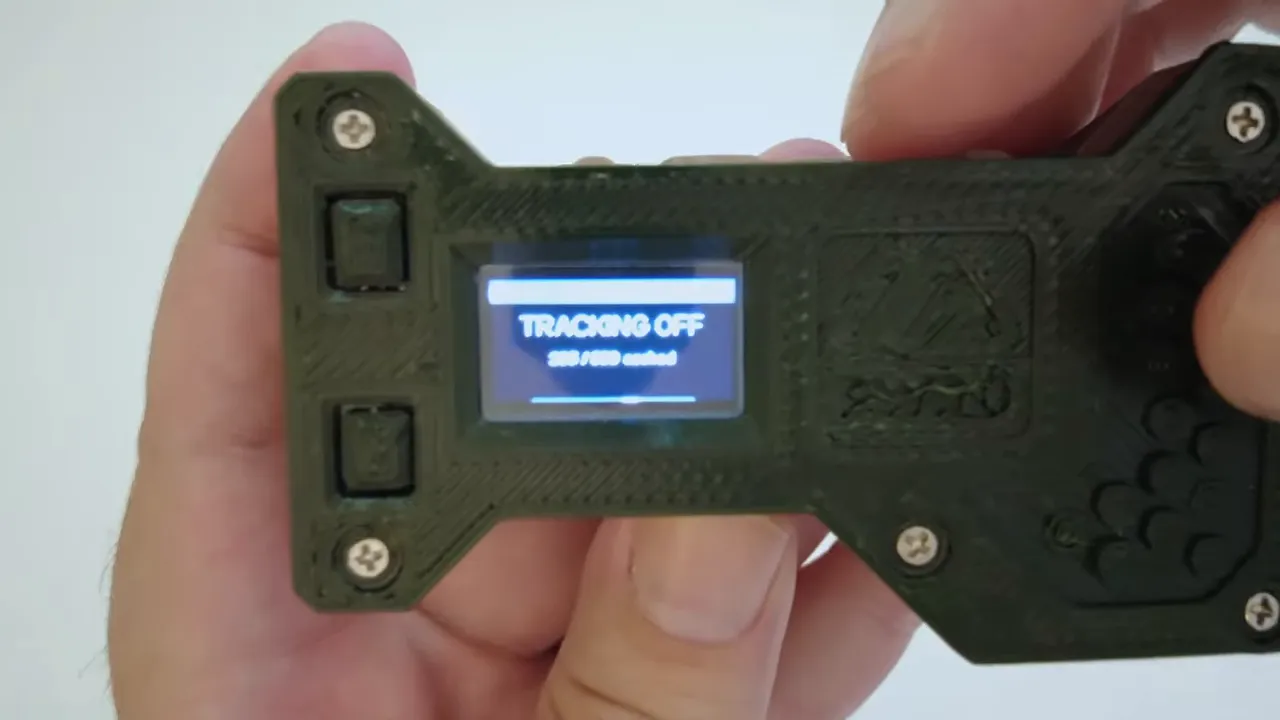
To start recording:
- Navigate to the tracker screen.
- Long-press the button to open its menu.
- Select Start Tracking.
- Check that the tracker screen changes to Tracking On.
With tracking enabled, the firmware saves a location every minute when a GPS position is available. The cached-point counter increases as points are recorded. A count of 205, for instance, becomes 206 after the next successful recording.
To stop, open the menu again and select Stop Tracking. This stops the extra local recording function. The node continues doing its normal Meshtastic work, including sending positions according to its configuration.
The same menu also includes Clear Cache, but save that until you have downloaded or exported anything you want to keep.
Button Controls on the SenseCAP T1000E
The T1000E does not have a screen, so I implemented the tracker controls through its button. The idea is to make it useful on its own, without needing to pull out a phone just to start a walk.
| Button action | Tracker function |
|---|---|
| One press | Save the current location to the cache. |
| Two presses | Start or stop automatic recording every minute. |
| Three presses | Clear the cached locations. |
A double press starts recording with an audible beep. While recording, the device beeps every minute as it records. Double-press again to stop.
The single-press action is handy when you just want to record where you are right now, rather than run continuous tracking. It writes that current location into the same cache.
These shortcuts belong to this custom firmware. They are not instructions for the standard T1000E firmware.
Syncing Saved Tracks to the Meshtastic App
Once you return, connect to the device through the Meshtastic app as usual. There is no separate tracker app required for this part.
- Scan for nearby devices in the app's connection screen.
- Select the node you used for recording.
- Open that node's details and its Position history.
- Allow the connection to finish and the cached positions to arrive.
The position history may initially look empty. In my demonstration, the connection indicator was orange while connecting, then turned green. Once connected, the saved positions started arriving and the route filled in on the map.
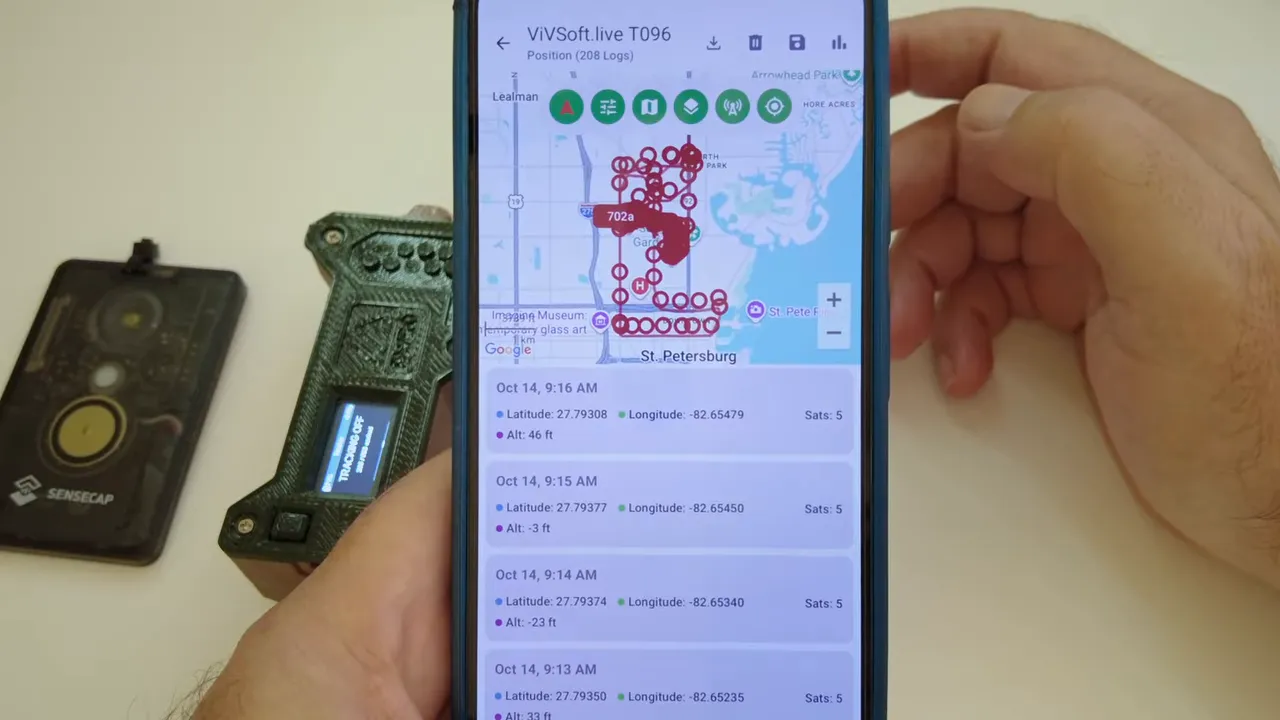
On my T096, the downloaded history included driving routes as well as the walking route I use regularly. Connecting to the T1000E brought in its own saved points from several days of walking. Apparently, I do quite a lot of walking!
Deleting app history does not clear the device
This is an important distinction: the app's position history and the device's cache are separate.
I deleted the position history in the app, disconnected, and connected again. The device replayed the saved positions, and the route appeared again. The points were still on the node.
So, if a route returns after you delete it from the phone, that is expected. To remove the source of that replay, you need to clear the cache on the tracker itself.
Exporting Your Route as a GPX File
Once the positions are in the Meshtastic app, you can export them as a GPX file and open the result in another mapping application.
I exported a test track, gave it a name, then opened it through the file browser in GPX Viewer. The same route appeared there, this time drawn over its map.
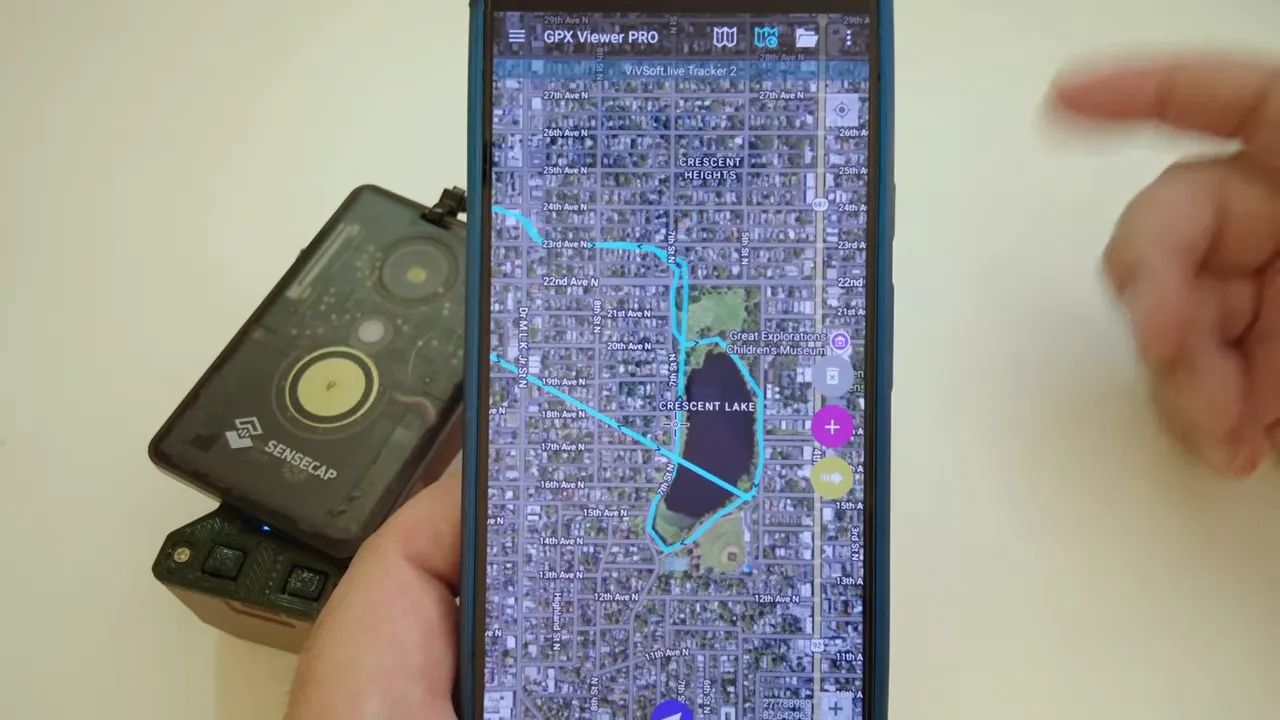
The process is straightforward:
- Wait for the cached positions to finish loading into Meshtastic.
- Use the position-history export option to save a GPX file.
- Give the file a name.
- Open it in GPX Viewer or another application that supports GPX.
I also included a Windows batch tool called tracker.bat. It provides another way to export a GPX file without using the Meshtastic app. The repository documentation explains that option.
Clearing the Tracker Cache
After saving your route, you can clear the device's cached positions so they no longer replay into the app.
- T1000E: Press the button three times.
- T096: Long-press to open the tracker menu, select Clear Cache, and confirm that you want to clear it.
On the T096, the counter returns to 0 of 500. After I cleared the cache and reconnected, the old saved route no longer arrived. A current location could still appear, but that was a fresh position rather than the previous cached history.
If you want to remove the route from both places, clear the app's history as well as the device's cache. Export anything important first.
Installing the Firmware and Exploring the Code
I put the firmware, source changes, and instructions in the tracker-firmware GitHub repository. It includes builds for the T096 and T1000E, device-control documentation, installation notes, and the Windows export tool.
Before flashing, back up your Meshtastic configuration and export your keys. Do that first, before changing the firmware.
For the demonstrated devices, installation uses the familiar flashing-mode and drag-and-drop process:
- Back up your existing configuration and keys.
- Download the firmware file that matches your device.
- Put the device into flashing mode.
- Drag and drop the matching firmware file onto the device's flashing drive.
The flashing instructions shown for the T096 use two presses of Reset to make the drive appear. For the T1000E, hold the button while connecting the charging cable. Follow the repository's device-specific instructions rather than assuming that every Meshtastic board flashes the same way.
How the modification fits into Meshtastic
I used Meshtastic 2.8.1 for the demonstrated build. The tracker changes can also be incorporated into another firmware version and compiled, rather than being tied only to that build.
The source changes are concentrated in four files. Part of the work changes the button-handling thread, because the tracker needs those additional button actions. The rest uses Meshtastic's optional add-on modules, which provide a place for custom functionality to run inside the firmware.
I also compiled an ESP32-S3 version, mentioning Heltec V3 and V4 hardware as additional targets. That is separate from the hands-on T096 and T1000E examples here, so check the available files and instructions for your particular board.
The LoRaWAN edition is a separate project
I have a similar tracker project for the T1000E LoRaWAN edition, with comparable single-press and double-press controls. That project is aimed at LoRaWAN rather than Meshtastic.
Do not confuse the LoRaWAN-edition firmware with the Meshtastic tracker build. There are supporting write-ups and architecture diagrams on the resource hub, but the firmware must match the device edition and the system you intend to use.
What I like about this modification is how little it changes the everyday experience. It is still a Meshtastic node. It simply remembers where it has been, so you can take it out on its own and bring the route back afterward.
|
Frequently Asked Questions
Does offline tracking stop the device from working as a Meshtastic node?
No. The modification adds local location caching while retaining normal Meshtastic communication, including position broadcasts and message reception.
Does the tracker save a point every minute without a GPS location?
The automatic recording interval is one minute, but the device needs a GPS position available to save a location point.
Why do deleted tracks return when I reconnect?
Deleting position history in the app does not remove the points cached on the device. Reconnecting allows the node to replay them. Clear the device cache if you no longer want those saved positions to return.
Can I export tracks without the Meshtastic phone app?
Yes. The repository includes a Windows batch tool called tracker.bat that can export a GPX file without using the Meshtastic app.