
Reticulum: A Deep Dive into Its Features and Capabilities
Published by Vivian van Zyl in Meshtastic the 02/26/2025 at 11:13 pm

Welcome back, everyone! Today, we’re diving into the world of Reticulum, an innovative network that has been capturing attention for its unique features and capabilities. While some might find it similar to Meshtastic, Reticulum has its own distinct characteristics that set it apart. Let's explore what makes Reticulum stand out and how it operates!
Understanding Reticulum
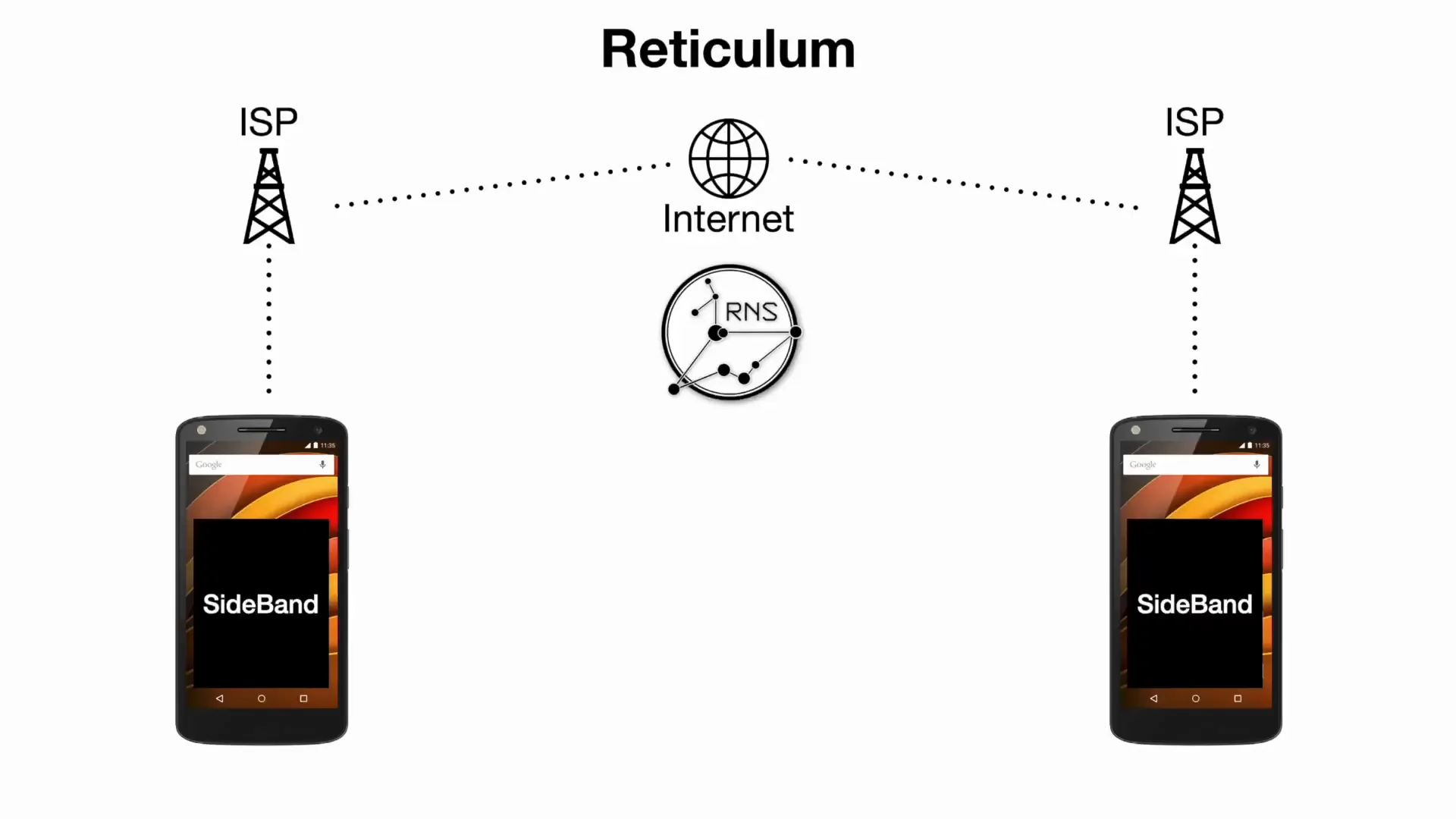
Reticulum is not just a standard network; it operates as a versatile framework that utilizes the RNS (Reticulum Network Stack) to facilitate encrypted communication over LoRa (Long Range) without relying on Wi-Fi. This is key for those looking for secure communication methods, especially in remote or challenging environments.
At its core, the RNS network is a stack of software components that can be utilized by various applications. One such application is Sideband, which you can download and side-load onto your devices. Unlike traditional apps available on app stores, Sideband and similar applications are often found in the hacker community, which is why Reticulum is sometimes referred to as the "hacker network."
How Reticulum Works
Reticulum allows for communication between devices through a combination of software and hardware. For instance, you can use an Android phone with the Sideband application to send messages via the RNS network. This network can also incorporate R Nodes, like the Heltec V3, which can connect via Bluetooth to your phone. This setup enables you to send messages over LoRa, effectively bypassing the need for an internet connection.
In comparison to Meshtastic, which operates as a standalone application on devices like the Heltec V3, Reticulum requires the software to be hosted elsewhere. The Heltec V3 merely acts as a network interface, allowing messages to be sent and received without the full application residing on the node itself.
Flashing an RNode
So, how do you get started with Reticulum? Flashing an RNode is a straightforward process. You need to visit the RNode flasher website, where you can select your specific hardware model, like the Heltec V3, and determine whether you want to operate at 433 MHz or 915 MHz. Once you’ve downloaded the appropriate firmware, you can flash it and provision it in just a few minutes.
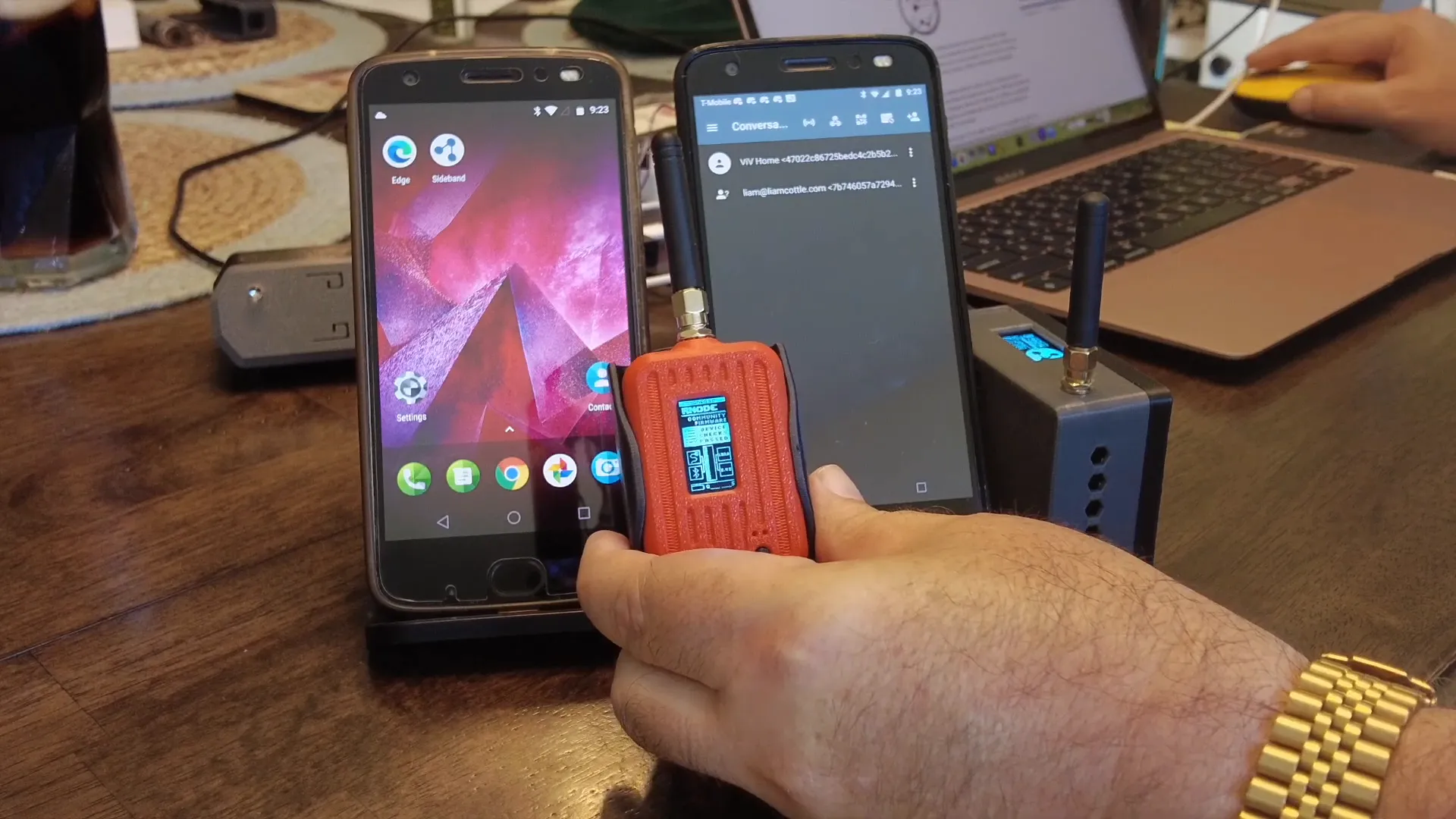
After flashing, you can easily revert back to Meshtastic by following a similar process. This flexibility allows users to switch between the two platforms based on their needs.
Establishing a Connection
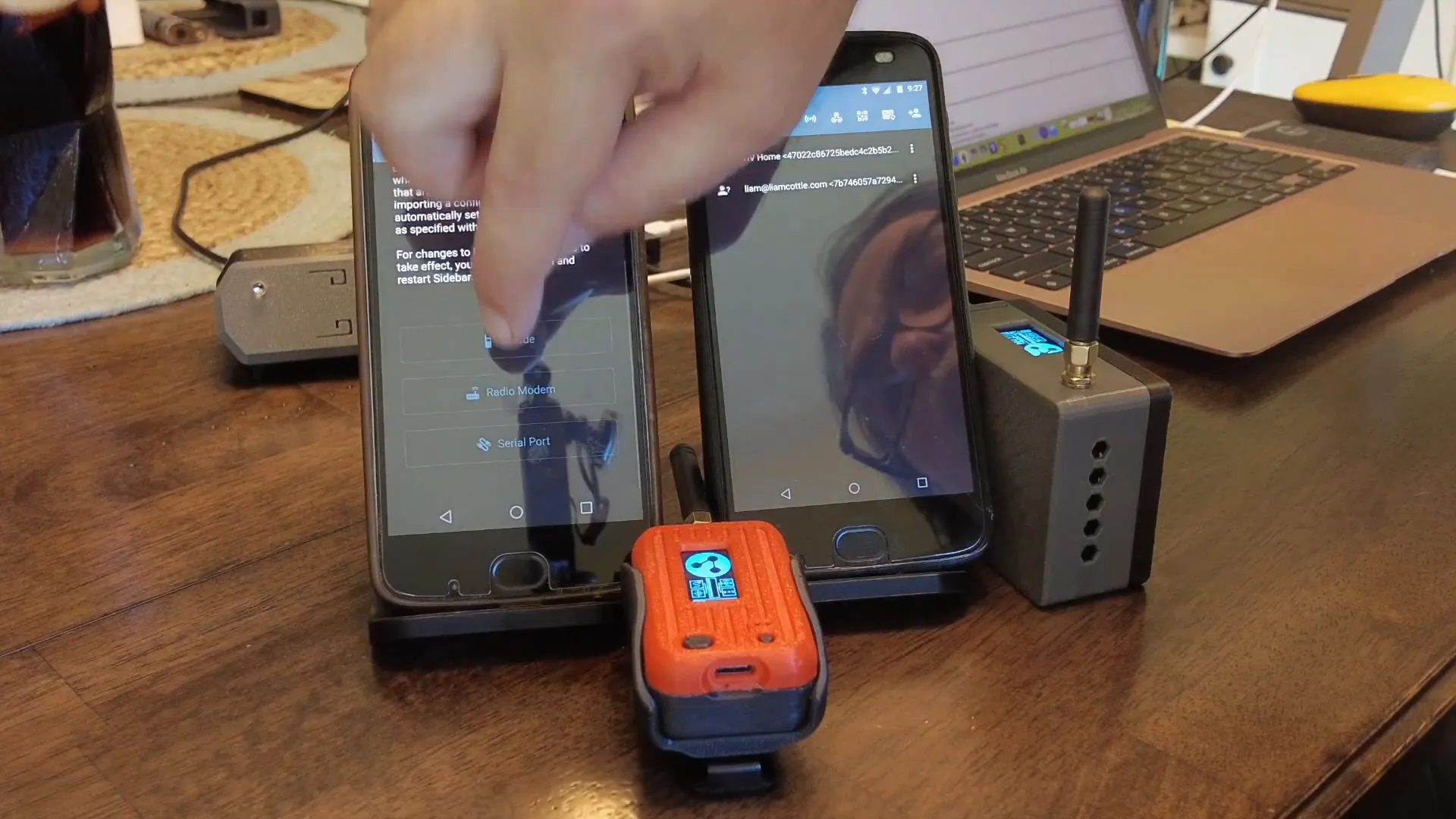
Once your Heltec V3 is flashed with Reticulum, you’ll need to establish a connection. This involves turning on Bluetooth and pairing your device with your phone. Once paired, you can open the Sideband application, which will recognize the RNode and allow you to start sending messages. You have full control over the radio options, enabling you to adjust settings such as frequency and bandwidth to optimize performance.
Messaging and Beyond
One of the standout features of Reticulum is its ability to send more than just text messages. You can attach images and files, making it a robust tool for data communication. For example, you can take a picture with your phone and send it over the LoRa network, or attach a configuration file to send to another device. This capability expands the utility of Reticulum beyond simple chat functions into real data communication.
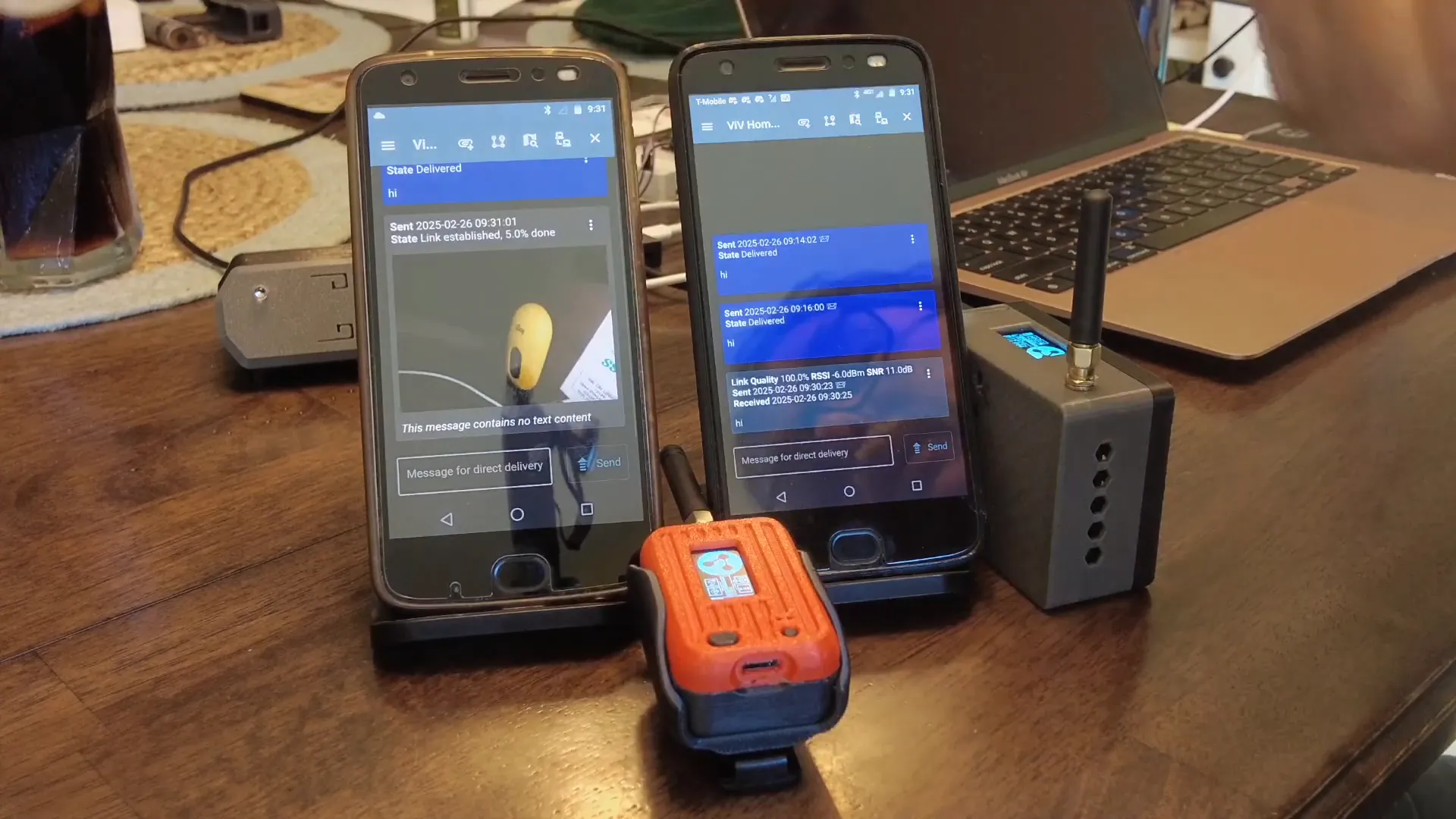
Reticulum also supports location tracking and telemetry, allowing for more advanced applications in various fields, including IoT and GPS. While these features may require more advanced setup, they highlight the potential of Reticulum in different scenarios.
Challenges and Considerations
While Reticulum offers many advantages, there are challenges to consider. The requirement to side-load applications like Sideband can be a barrier for some users. Additionally, the need for a Bluetooth connection means that both devices must be within range of each other, which can limit communication in larger areas.
However, the trade-off for these challenges is a more secure and flexible communication method, particularly valuable in scenarios where traditional network infrastructure is unavailable.
Practical Applications of Reticulum
Reticulum can be particularly useful in various practical scenarios. For instance, during disasters or emergencies, when conventional communication methods fail, Reticulum can facilitate communication among rescue teams or community members. Additionally, it can serve as a backup communication system for outdoor activities such as hiking or camping, ensuring that you remain connected even in remote areas.
Conclusion
In summary, Reticulum presents a compelling alternative to traditional communication networks, particularly in environments where security and reliability are paramount. Its unique architecture, which separates the application from the hardware, allows for flexibility and adaptability in various use cases. Whether you’re interested in enhancing your communication capabilities for personal use or exploring innovative IoT solutions, Reticulum is a platform worth considering.
Frequently Asked Questions (FAQ)
What is Reticulum?
Reticulum is a versatile network that enables encrypted communication over LoRa without relying on Wi-Fi. It uses the RNS stack for various applications.
How does Reticulum differ from Meshtastic?
Unlike Meshtastic, which operates as a standalone application on devices, Reticulum requires the software to be hosted elsewhere, with the hardware acting as an interface.
Can I send files over Reticulum?
Yes, Reticulum allows you to send images, files, and other data in addition to text messages.
What devices can I use with Reticulum?
Reticulum can be used with devices like the Heltec V3 and other compatible R Nodes.
How do I flash an RNode?
Visit the RNode flasher website, select your hardware model, download the appropriate firmware, and follow the flashing procedures outlined on the site.
For more information on Meshtastic devices, check out the Meshtastic Devices - LoRaMeshDevices.com. And if you're looking to streamline organization and boost productivity, consider the 2 Pack Board + Case: Streamline Organization and Boost Productivity.
Lastly, don't forget to explore the GitHub - liamcottle/rnode-flasher for a web-based firmware flasher for Reticulum/RNode_Firmware and check out the Reticulum Network for more insights.
This article was created from the video Reticulum vs. Meshtastic: Key Differences Explained! with the help of AI.